
Migrating from Pelican (Standalone)
This guide is for Pelican installs running directly on the host, no Docker, no containers. If you're using Docker, use the Dockerized guide instead.
You'll install Calagopus alongside your existing Pelican, then point the importer at Pelican's .env file. It reads everything from Pelican's database and writes matching records into Calagopus's fresh database. Users log in afterward with the same credentials they already have.
API keys do not migrate. The hashes aren't compatible, and neither is the API, so old keys wouldn't work even if they were imported. See the intro for the full reasoning.
Prerequisites
Before you start, you'll want:
- Your Pelican
.envfile accessible. You'll point the importer at it. - Calagopus Panel installed but not yet configured. Stop at the Out-of-Box Experience (OOBE) screen.
- Access to the database Pelican is using (MySQL, MariaDB, or SQLite3).
Install Calagopus First
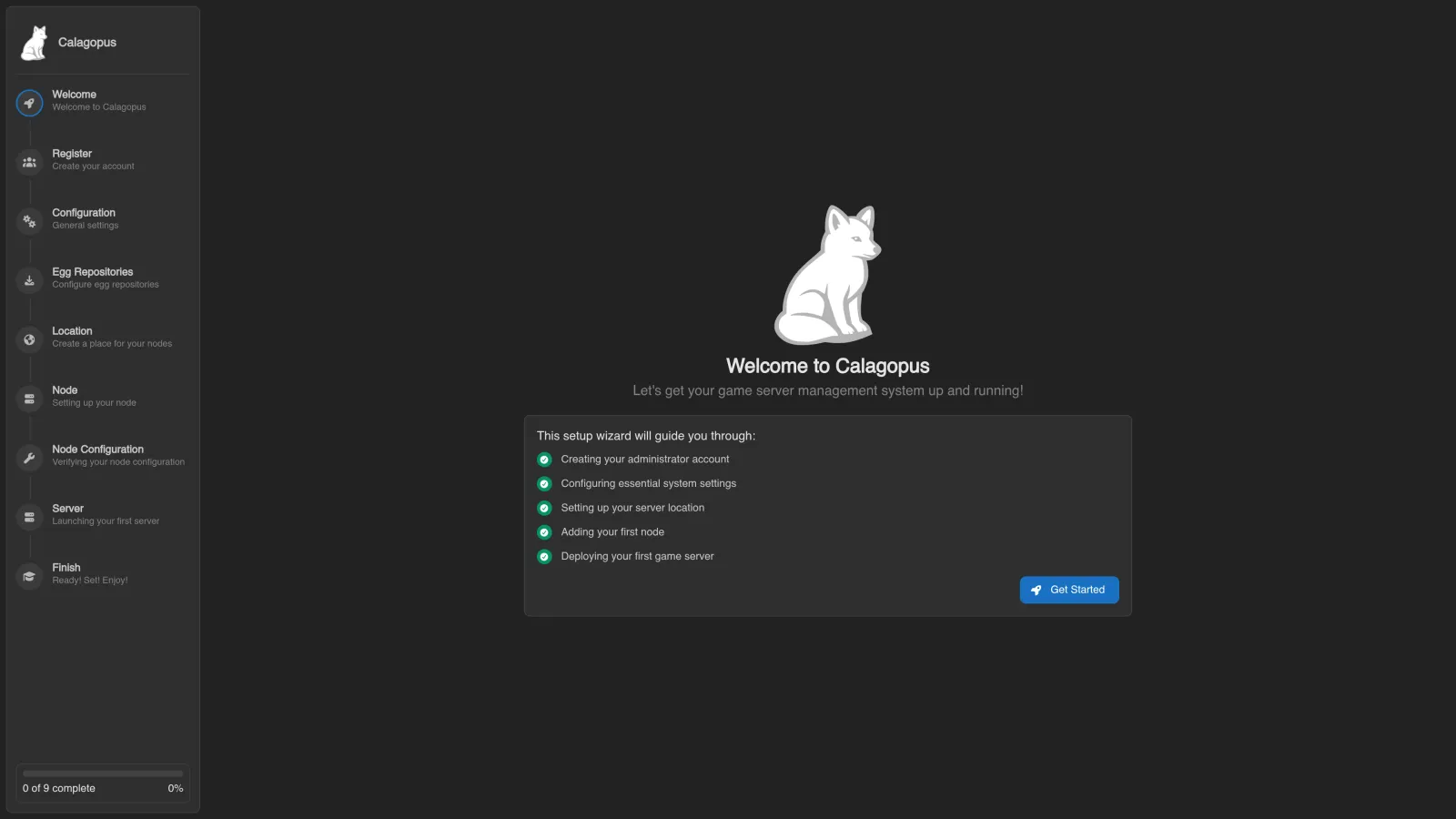
If you haven't installed Calagopus yet, follow the installation guide. Once you reach the OOBE screen, stop. Don't click through it, don't create the admin user. Just leave it there and come back here.
Don't click through the OOBE
This guide uses a fresh Calagopus database. By default, the importer refuses a target that already has users, nodes, servers, nests, or locations. If you already completed the OOBE and need to keep its data, review --force and run a dry run against the occupied target first.
Resetting a disposable target
Only use these steps if you want to discard everything in the Calagopus database and start fresh. They are not needed after a failed import that reports a rollback. Pick the tab that matches how Calagopus is installed:
Go to the directory with your Calagopus compose file and stop the stack:
docker compose downDelete the Postgres data directory:
# This wipes the Calagopus database. Don't run this if you have data you care about.
rm -r postgres
Start Calagopus back up:
docker compose up -d::: :::
Supported Pelican Databases
The importer can read from any of these database backends:
mysqlmariadbsqlitesqlite3pgsqlpostgrespostgresql
The connection details come from Pelican's .env file. You don't need to type them in separately, just point the importer at the file with --environment and it figures the rest out.
MySQL, MariaDB or PostgreSQL
Your Pelican .env should have entries like:
APP_URL=https://panel.example.com
APP_KEY=base64:...
DB_CONNECTION=mysql # or pgsql/postgres/postgresql
DB_HOST=127.0.0.1
DB_PORT=3306
DB_DATABASE=pelican
DB_USERNAME=pelican
DB_PASSWORD=secret
Nothing special to do here, the importer reads these directly.
SQLite3
Your Pelican .env should have entries like:
APP_URL=https://panel.example.com
APP_KEY=base64:...
DB_CONNECTION=sqlite
DB_DATABASE=database/database.sqlite
If DB_DATABASE is a relative path (the default), the importer resolves it relative to the .env file you pass. As long as your Pelican install hasn't been moved around, there's nothing else to do here.
Choose Your Calagopus Install Method
The import command depends on how Calagopus itself is installed. Pick the matching tab:
Make a working copy of Pelican's .env and point DB_HOST at the host machine, since the importer runs inside the Calagopus container. The web service maps host.docker.internal to the host's gateway, so use that:
cp /var/www/pelican/.env /tmp/pelican.env
# Open /tmp/pelican.env in your editor and change:
#   DB_HOST=127.0.0.1   to   DB_HOST=host.docker.internal
If Pelican is using SQLite3, copy the database file into the container and update the .env to match:
docker compose cp /var/www/pelican/database/database.sqlite web:/database.sqlite
# Open /tmp/pelican.env in your editor and change:
#   DB_CONNECTION=sqlite
#   DB_DATABASE=/database.sqlite
Copy pelican.env into the Calagopus container:
docker compose cp /tmp/pelican.env web:/.envFirst validate without importing records:
docker compose exec web calagopus-panel import pelican --environment /.env --dry-run --on-invalid=abort --report /tmp/pelican-import-report.jsonRead the reported problems before continuing. With Docker, the report is inside the web container; copy it out with docker compose cp web:/tmp/pelican-import-report.json ./pelican-import-report.json if needed. Review the import options to choose fixes or skipped rows. Then run the import interactively:
docker compose exec web calagopus-panel import pelican --environment /.envThe importer walks through users, servers, nodes, allocations, eggs, and everything else. Small installs finish in seconds, larger ones can take a few minutes. The terminal shows validation findings and the planned record counts before the import writes data.
If the import errors out with a connection or auth error
If it fails immediately with something like "Host 'X' is not allowed to connect" or "Access denied for user", that's MySQL/MariaDB's host-based access control blocking the connection. See Allowing the Database User to Connect from Docker below.
Validation errors stop the import before it writes data. If the write phase fails, the importer rolls back the imported records; fix the reported problem and retry. If it says the data was imported but Panel settings could not be saved, keep the imported data and set the URL, name, and mail settings in the admin area. Do not rerun a successful data import just to repair settings.
When the import finishes, restart the stack:
docker compose down
docker compose up -d
Log in with your existing Pelican credentials.
Allowing the Database User to Connect from Docker
Only read this if the import failed with a host or auth error. The cause: Pelican's MySQL/MariaDB user is restricted to specific source hosts, usually localhost or 127.0.0.1, but the Calagopus container connects from a different IP, the Docker bridge gateway. To MySQL, pelican@'localhost' and pelican@'172.17.0.1' are different users, and only the first one exists.
The fix is to grant that user access from any host ('%'), run the import, then revoke the grant once you're done.
Connect to your MySQL/MariaDB server (use the real user, password, and database name from Pelican's .env):
mysql -u root -pGrant access from anywhere:
GRANT ALL PRIVILEGES ON pelican.* TO 'pelican'@'%' IDENTIFIED BY 'your-pelican-password';
FLUSH PRIVILEGES;
Then re-run the import.
Revoke this after the migration
A grant from '%' lets the user connect from anywhere the database is reachable, which is far more access than you want long-term. Revoke it as soon as the import finishes:
REVOKE ALL PRIVILEGES ON pelican.* FROM 'pelican'@'%';
DROP USER 'pelican'@'%';
FLUSH PRIVILEGES;
This leaves the original pelican@'localhost' (or wherever) untouched, so Pelican keeps working if you're running it alongside Calagopus for now. Once Pelican is fully decommissioned, you can drop that user too.
What's Next
Wings also needs to point at the new panel. See Updating Wings for that step.
After migrating, regenerate any API keys used by external scripts. The old Pelican keys won't work, and the Calagopus API differs from Pelican's, so those integrations need updating regardless.