
Runtipi Panel Installation
Calagopus is available for Runtipi through the Calagopus Tipi App Store. Each app bundles its own PostgreSQL and Valkey containers, and Runtipi generates the encryption key for you, so there is nothing to configure before installing.
Running game servers on a home server
Wings will run fine on Runtipi, but game servers are CPU- and RAM-intensive workloads that compete with your other Runtipi apps. This is well-suited for homelab use. For production hosting, consider running Wings on a dedicated machine connected to a standalone Panel instead.
1. Add the App Store
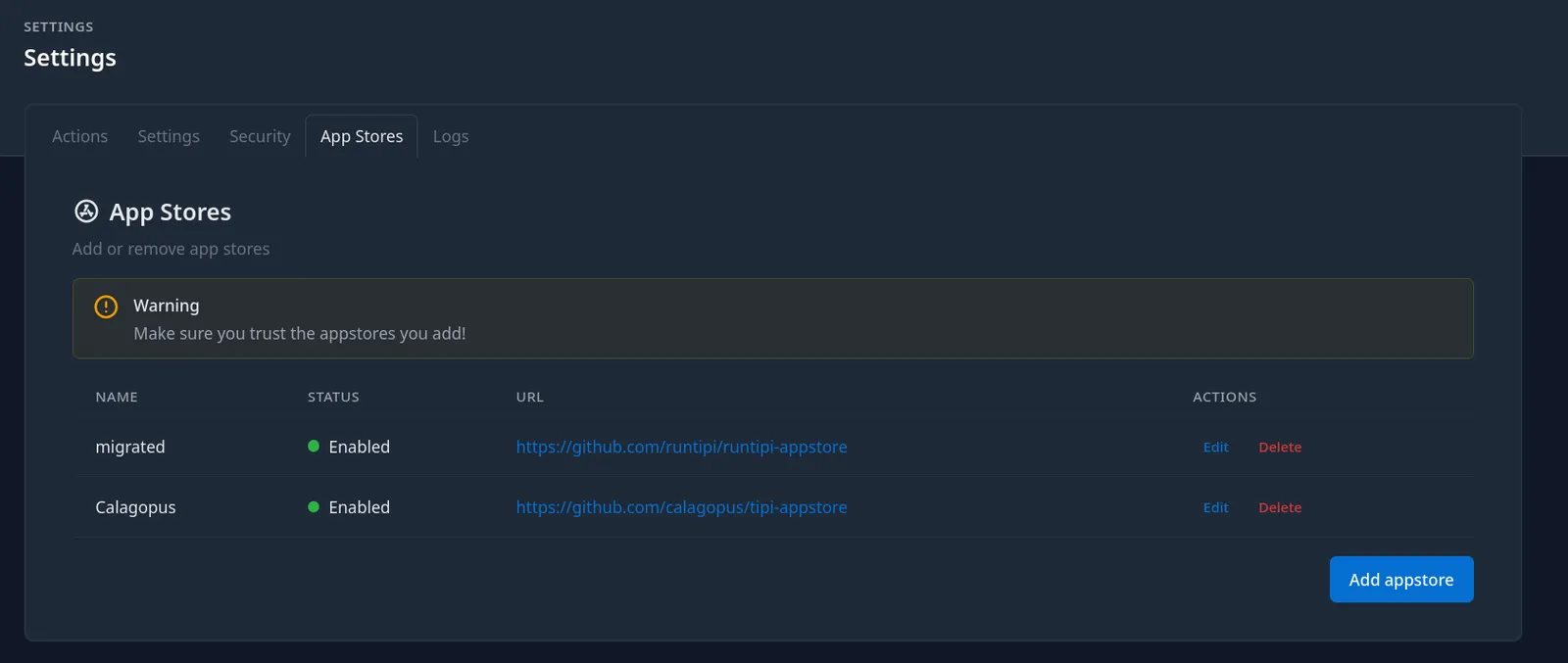
In the Runtipi dashboard, open Settings and switch to the App Stores tab. Click Add appstore, give it a name such as Calagopus, paste the store URL, and save:
https://github.com/calagopus/tipi-appstoreRuntipi clones the store in the background. Once it has finished, the Calagopus apps show up in the App Store.
2. Install the app
Search the App Store for Calagopus. The store offers three apps, pick the one that matches your needs and click Install:
| App | Use when |
|---|---|
| Calagopus (AIO) | Standard install, Panel + Wings, no extensions. The best choice for most people. |
| Calagopus (Heavy AIO) | You plan to install extensions, includes the build tooling needed to compile them |
| Calagopus | Panel only, you connect one or more separate Wings nodes to run game servers |
Install only one variant
All three apps publish the panel on port 8000, and both AIO variants publish SFTP on port 2022, so only one of them can run on the same Runtipi host at a time.
Runtipi pulls the images and starts the app. The first start runs the database migrations, which can take a minute.
3. Access the Panel
Click Open on the Calagopus app page, or open your browser and navigate to:
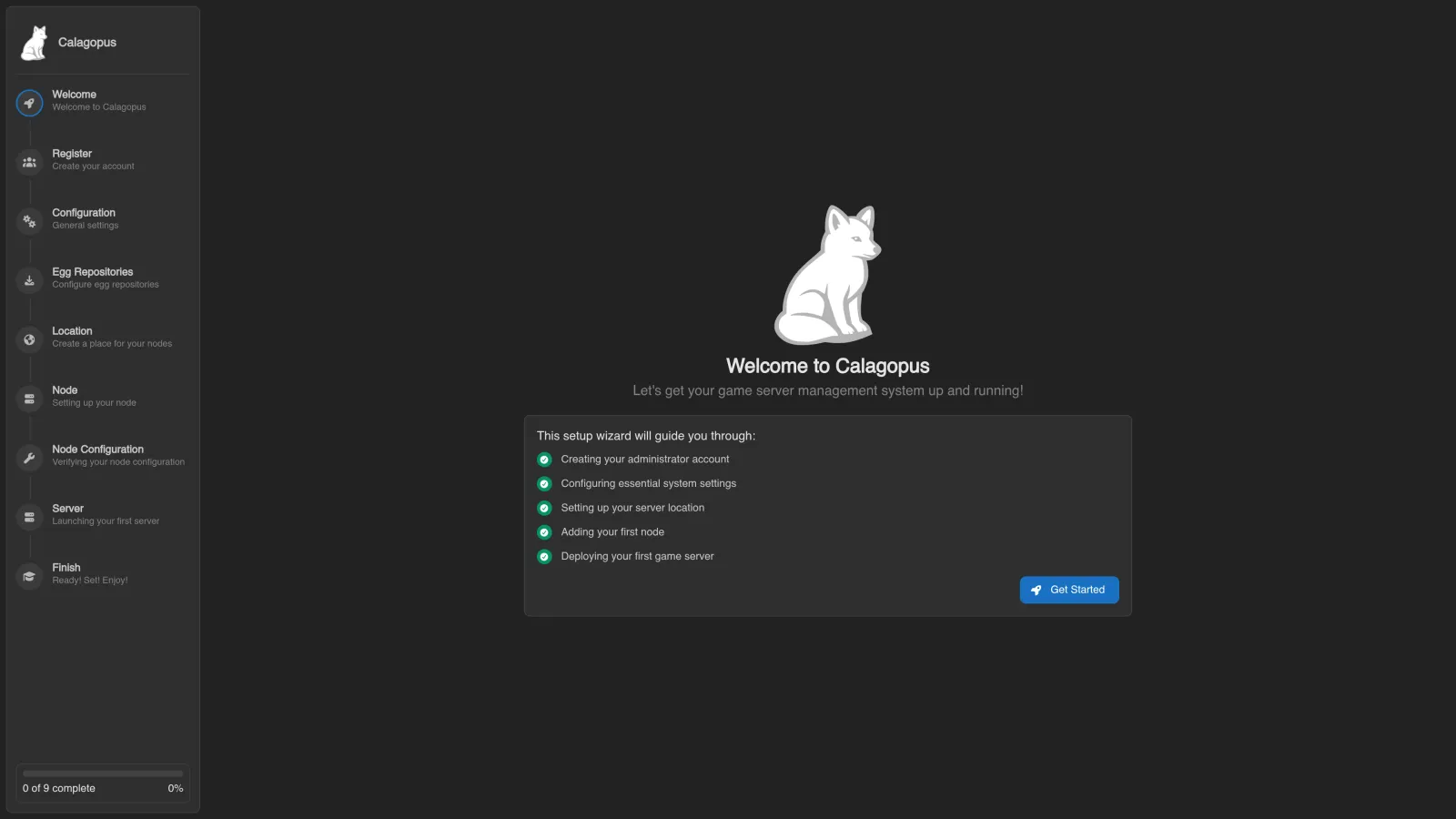
http://<runtipi-ip>:8000You will see the OOBE (Out Of Box Experience) setup screen where you create your first admin account and complete initial configuration.
The ports used are:
| Port | Purpose |
|---|---|
8000 | Panel web UI and API |
2022 | SFTP access to game server files via Wings (AIO variants only) |
Your game servers will also need their own port allocations, configure those on the Wings node after setup.
Updating
The Tipi App Store is updated shortly after each new Calagopus release. Runtipi periodically pulls its app stores and shows an Update button on the Calagopus app page when a new version is available. Click it to pull the new image and restart the app; your data is preserved.