
Egg Configurations
An egg configuration is a named set of eggs plus optional behavior that applies to every server using one of those eggs: how allocations are assigned, whether users may write their own startup command, and which pages the server sidebar shows. It's a Calagopus concept with no Pterodactyl equivalent, and it lets you define this behavior once instead of per egg.
The list shows ID, Order, Name, Eggs (how many eggs the configuration contains), and Created. Use the search box to filter.

How Configurations Stack
An egg can appear in multiple configurations. All configurations containing a server's egg apply, sorted by their Order value (lowest first, creation date as tie-breaker), and each section (allocation, startup, page order) is taken from the last configuration in that ordering that defines it.
If no configuration defines a section, the built-in defaults apply: self-assign off, primary allocation required, custom startup commands off, sidebar in its normal order. In practice: put your broad defaults at a low Order and targeted overrides at a higher one.
Creating and Editing
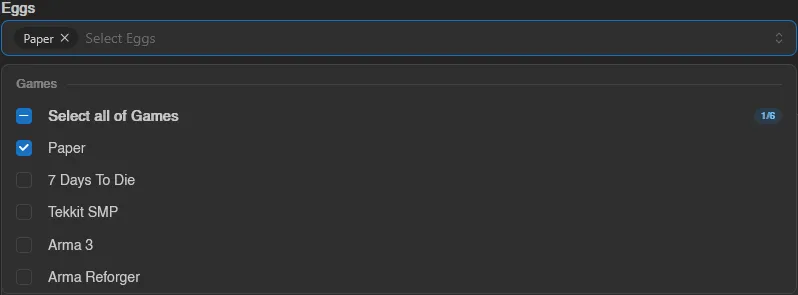
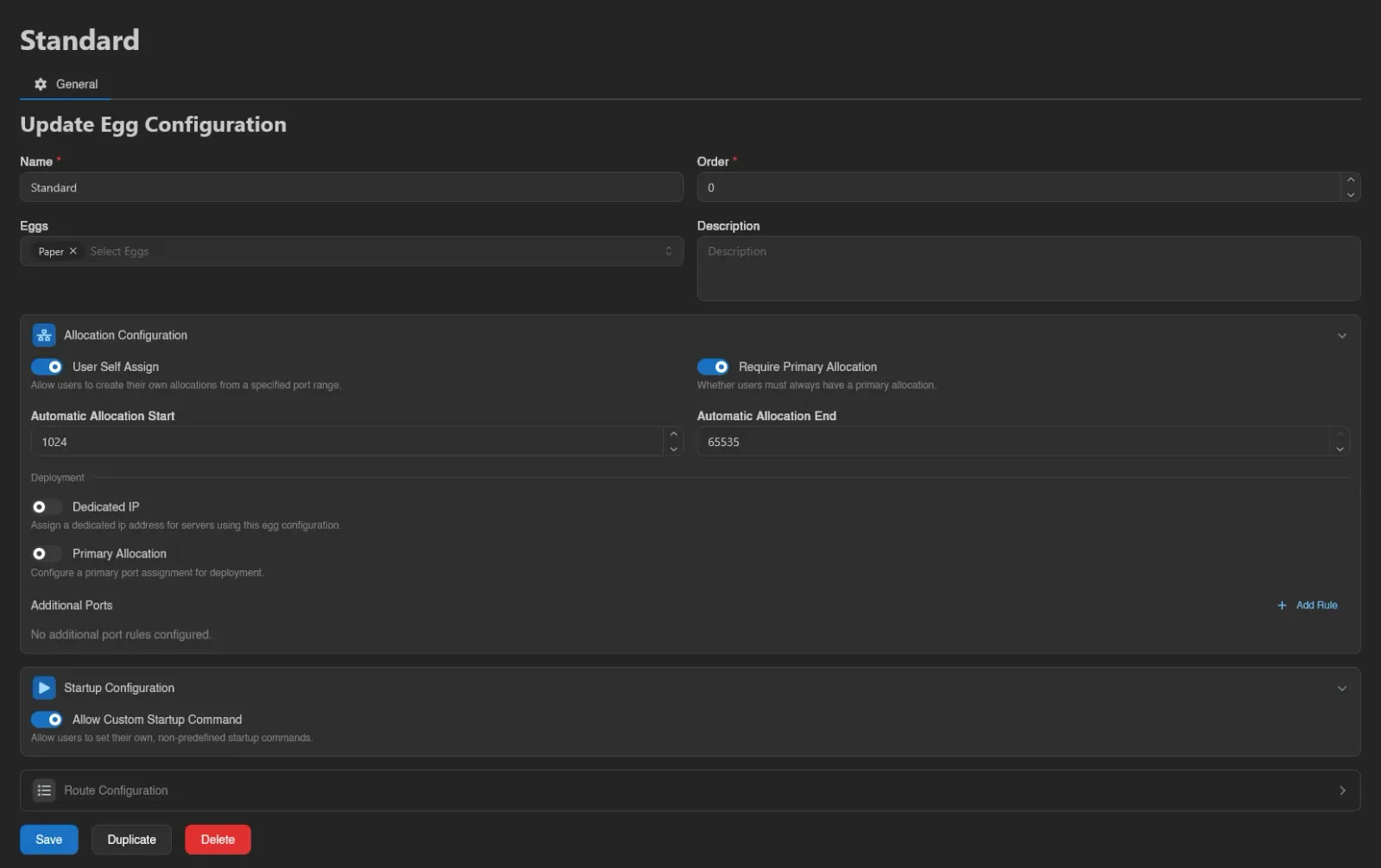
Click Create, or open a configuration's ID to edit it. The base fields are Name, Order, Eggs (a multi-select grouped by nest, each group with a Select all row and a selected count), and Description. If your panel has no eggs yet, a warning tells you to create a nest and egg first.
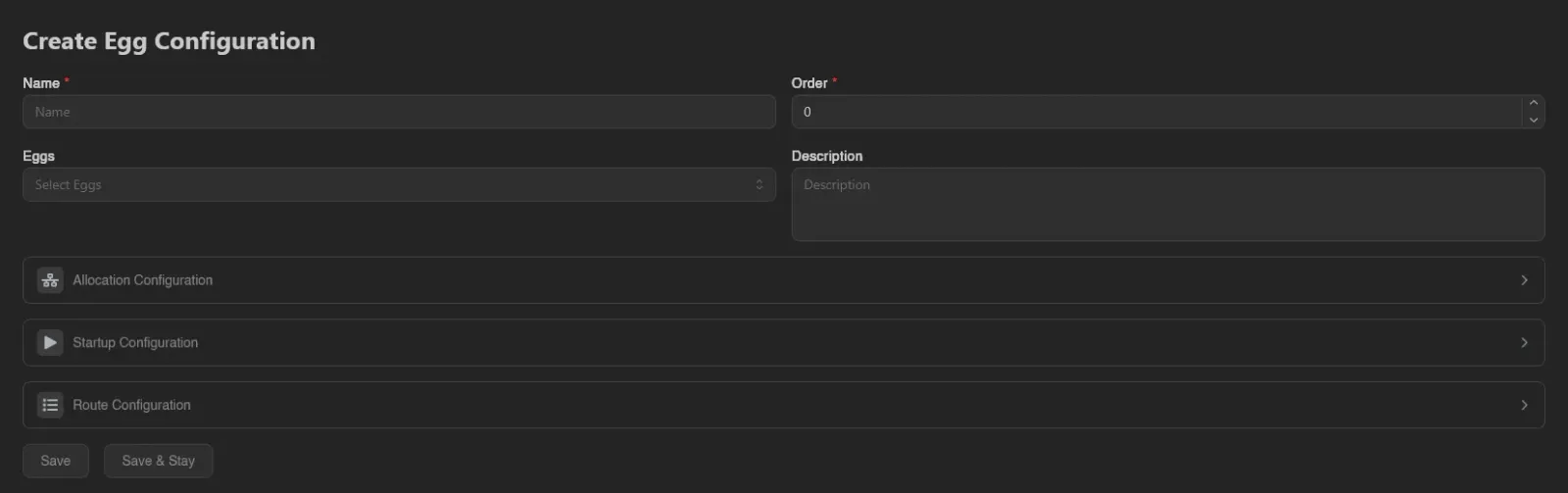
Below are three collapsible sections. Each has an enable toggle; a disabled section isn't defined by this configuration, so a lower-priority one (or the default behavior) applies.
Allocation Configuration
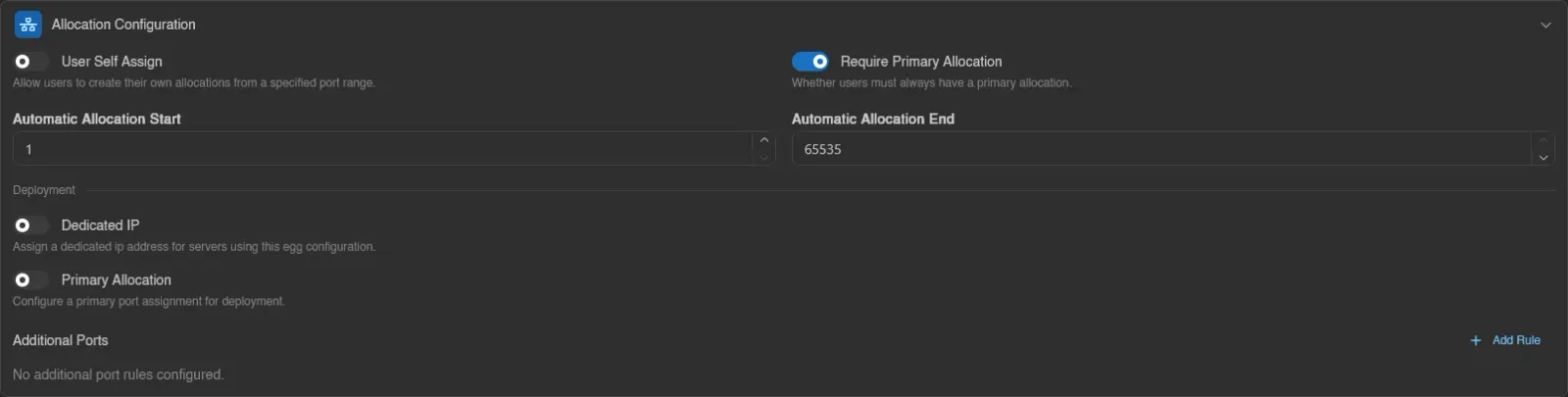
The top half controls what users can do on their server's Network page:
- User Self Assign: lets users create their own allocations, drawn from the Automatic Allocation Start / Automatic Allocation End port range. Without a configuration enabling this, the client-side create button is rejected.
- Require Primary Allocation: whether users must always have a primary allocation.
The Deployment half controls automatic allocation assignment when servers are deployed through the deployment API (a manual allocation choice always wins over these rules):
- Dedicated IP: assign a dedicated IP address for servers using this configuration.
- Primary Allocation: pick the primary port from a Primary Start Port / Primary End Port range, with an optional Assign to Variable (e.g.
SERVER_PORT) that receives the assigned port as an environment variable. - Additional Ports: extra allocation rules, added with Add Rule. Each rule has a type: Random, Port Range (start/end), or one derived from the primary port, Add to Primary, Subtract from Primary, Multiply Primary, Divide Primary (each with a Value). Every rule also takes its own optional Assign to Variable.

Startup Configuration
One switch: Allow Custom Startup Command. When off, users on the server's Startup page can only pick between the egg's predefined startup commands; when on, they can write their own.

Route Configuration
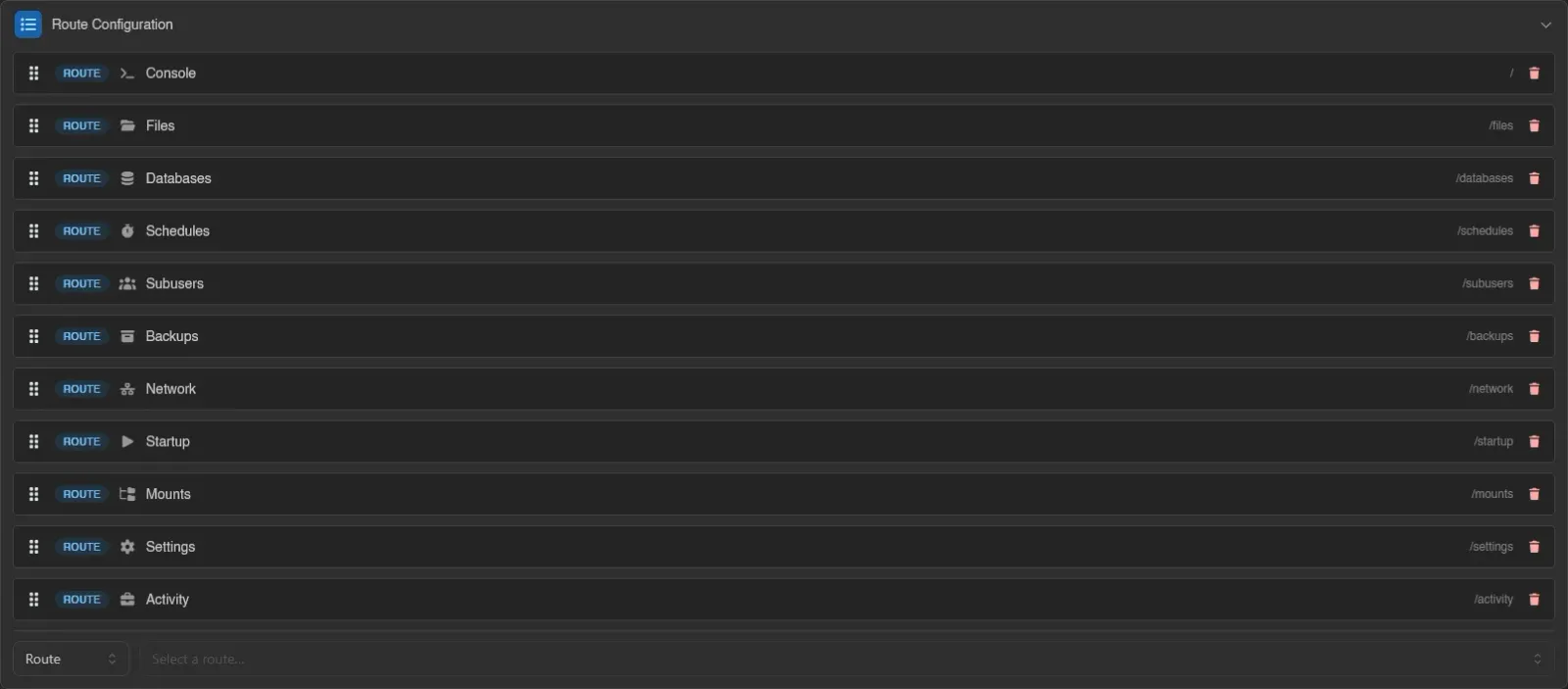
Reorders the server sidebar for affected servers. Each entry shows its path and has a remove button; drag entries to reorder. The bottom row adds entries by type: Route picks a page, Divider (optionally named) groups them, Redirect (a name plus a destination URL) adds an external link. Divider and redirect names are translatable per language.
WARNING
Pages left out of the list are not just hidden from the sidebar, they become inaccessible for those servers. Only remove pages you genuinely want to cut off.
Duplicating and Deleting
When editing, Duplicate copies the whole configuration under a new name and Delete removes it (servers and eggs are untouched, only the layered behavior disappears).
INFO
These actions map to the egg-configurations.* admin permissions; see the Permissions Reference.