
Devices
Open Mounts → Devices to see the host devices your administrator has made available to your server. These can include a GPU render device or other hardware that the application inside the container needs.

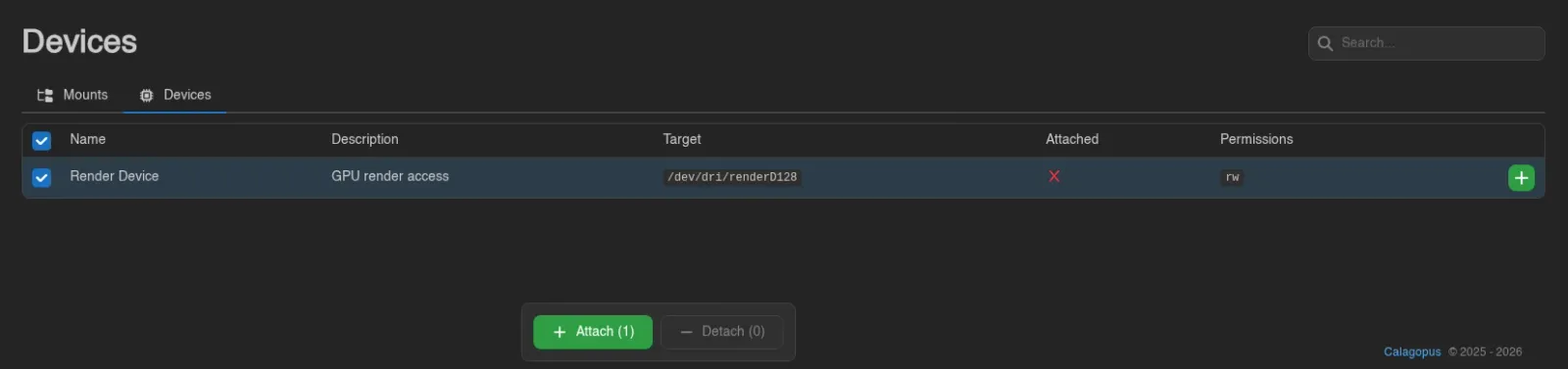
The table shows Name, Description, Target, Permissions, and whether the device is Attached. The target is its path inside your container. Permissions use r for read, w for write, and m for creating device nodes.
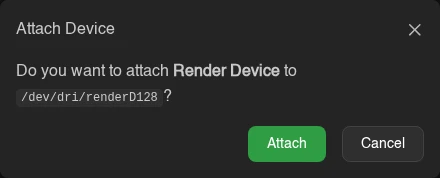
Use the + or - on a row to attach or detach it, then confirm.
For several devices, select rows with the checkboxes, by dragging, or with Ctrl+A; Attach and Detach in the action bar skip devices already in the requested state. Escape clears the selection.
Restart the server to apply changed device mappings. An attachment shown in the Panel still needs a valid source device and an allowlist entry on the Wings host. Contact your administrator if the device does not appear after a restart.
Administrators define the paths and access permissions under Devices. Devices must be assigned to both your node and egg, and marked User Attachable, for you to manage them here.
Viewing needs devices.read; attaching and detaching need devices.attach and devices.detach. These are separate from the permissions for directory mounts. See the Permissions Reference.