
Admin
The Admin area is the instance-wide side of the panel: nodes, servers, users, eggs, databases, and panel settings all live here. It's only visible to administrators: root admins (accounts with the Admin toggle, see Users) and users granted admin permissions through a Role. See the Permissions Reference for what each admin key covers.
The sidebar starts with Back (returns to the dashboard) and Home, followed by these groups, and the Quick actions palette (Ctrl+Space) jumps to any of these pages by name:
System
| Page | Description |
|---|---|
| Settings | Panel-wide configuration, from branding to rate limits |
| Announcements | Panel-wide announcement banners |
| Assets | Public file hosting for the panel, e.g. custom icons and banners |
| Extensions | Install and manage panel extensions |
Infrastructure
| Page | Description |
|---|---|
| Locations | Group nodes by physical or logical location |
| Nodes | The Wings machines your servers run on |
| Servers | Every server on the panel, from creation to transfers |
Users & Access
| Page | Description |
|---|---|
| Users | All user accounts on the panel |
| Roles | Named sets of admin and server permissions |
| OAuth Providers | Third-party login and account linking |
| Activity | Audit log of admin-side actions |
Nests & Eggs
| Page | Description |
|---|---|
| Nests | Collections of eggs, the server type definitions |
| Egg Configurations | Named, ordered sets of eggs with deployment settings |
| Egg Repositories | Git repositories to import eggs from |
Databases
| Page | Description |
|---|---|
| Database Hosts | MySQL and PostgreSQL hosts for user-created databases |
| Database Agent Hosts | Hosts running the database agent for managed database instances |
| Database Agent Templates | Templates defining managed database images and resource limits |
Storage
| Page | Description |
|---|---|
| Mounts | Host directories that can be mounted into server containers |
| Devices | Host devices available to eligible servers |
| Backup Configurations | Where server backups are stored |
| System Backup Policies | Scheduled automatic server backups with retention, scoped to locations, nodes, or servers |
Home
/admin lands on Home, a status dashboard with three tabs: Overview, Updates, and Health. The Updates and Health tabs require the stats.read permission, and so does the content of Overview. Whenever a newer panel version is available, a banner at the top links to the upgrade instructions.
Overview
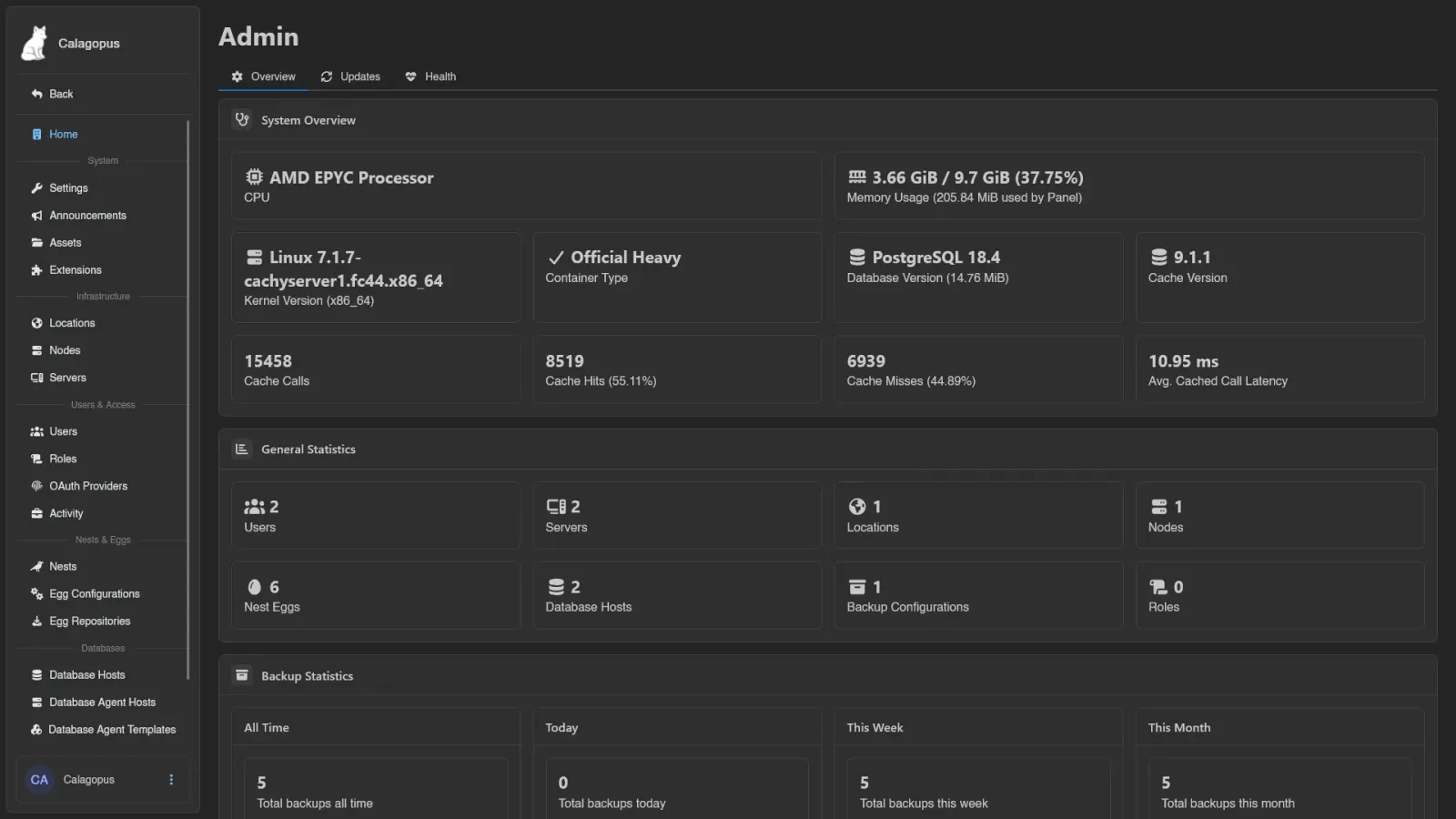
Three cards:
- System Overview: CPU model, memory usage (including how much the panel process itself uses), kernel version and architecture, container type (Official, Official AIO, Official Heavy, or None detected), PostgreSQL version and database size, and the cache statistics below.
- General Statistics: how many Users, Servers, Locations, Nodes, Nest Eggs, Database Hosts, Backup Configurations, and Roles the panel has.
- Backup Statistics: backup counts for All Time, Today, This Week, and This Month, each broken down into total, successful (with size), failed, and deleted.
Cache Statistics
The System Overview card reports the cache version, Cache Calls (total, with hits and misses), the average latency of a hit and of a miss separately, and Slowest Cached Call, the worst single call seen since the panel started.
Under those sits a Call Breakdown table giving Calls and Avg. Latency for each way a lookup can resolve:
| Row | What it counts |
|---|---|
| Memory hit | Served from the panel process's own in-memory cache, the cheapest outcome. |
| Redis hit | Missed memory but found in Redis, so it cost a network round trip. |
| Waited on another call | An identical lookup was already in flight, so this one waited for that result instead of repeating the work. |
| Computed | A real miss: the value had to be built from the database and written back to the cache. |
A healthy panel is mostly Memory hit. A large Computed share means values are being evicted or expiring faster than they are used.
Updates
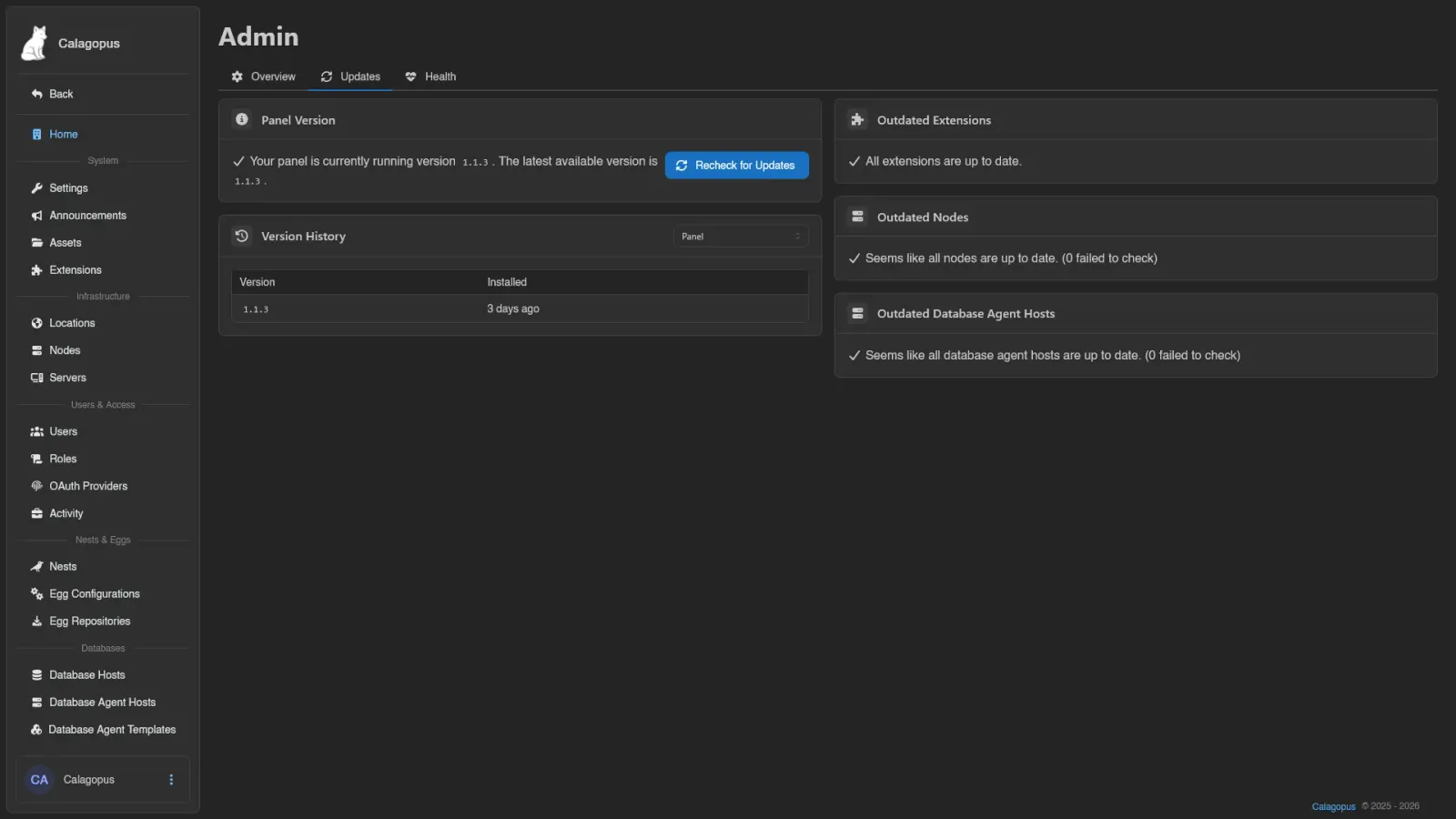
- Panel Version: the version you're running versus the latest available, with a Recheck for Updates button that re-runs every update check on this tab.
- Version History: a table of installed versions and when they were installed. The dropdown switches between the panel's history and each extension's.
- Outdated Extensions: extensions with a newer version available, listing package name, installed and latest version, and the changelog. Extensions that failed the update check are listed separately with their error.
- Outdated Nodes: nodes running an older Wings version than the latest, including how many failed to check. Requires
nodes.read. - Outdated Database Agent Hosts: the same for database agent hosts. Requires
database-agent-hosts.read.
Health
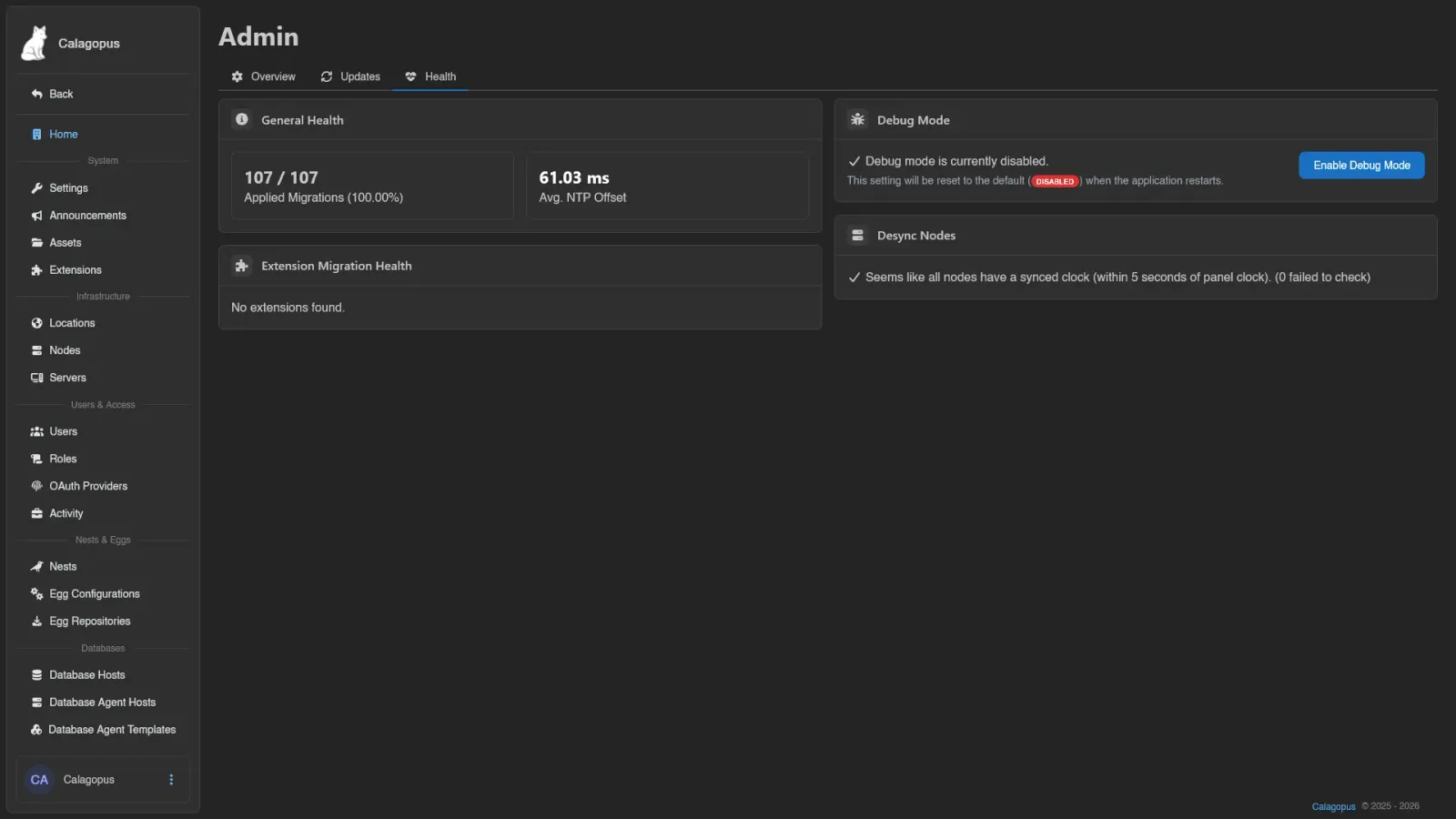
- General Health: applied database migrations (e.g.
107 / 107 (100.00%)) and the panel's Avg. NTP Offset, highlighted when it climbs above 100 ms. - Extension Migration Health: applied versus total migrations per installed extension.
- Debug Mode: shows whether debug mode is currently enabled, with an Enable Debug Mode / Disable Debug Mode button (requires
settings.update). The setting resets to its default when the application restarts. - Desync Nodes: nodes whose clock is more than 5 seconds off the panel's clock, which can cause file download and console issues. Ideally this list stays empty.