
Egg Library
The Egg Library (Nests & Eggs > Egg Library, /admin/egg-library) gathers eggs from every nest and every egg repository on one page. You can see what's installed, find the eggs that have a newer version in their repository, and install new ones without opening each repository first. It has two tabs, Installed and Available, and both show eggs as cards with a search box and pagination.
The page needs eggs.read. The Available tab also needs egg-repositories.read.
Installed
Every egg on the panel, whichever nest it's in, sorted by name. The search matches egg names.
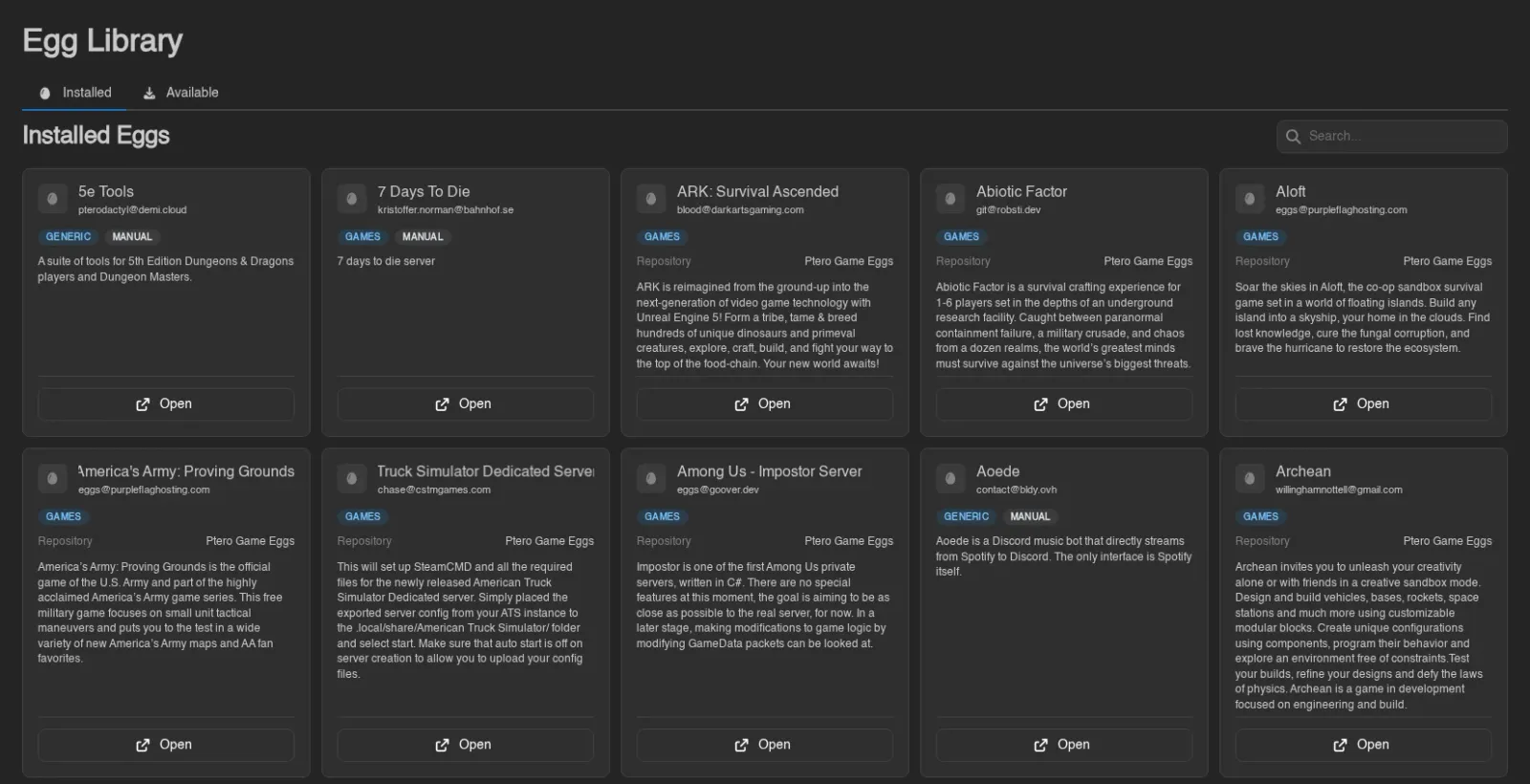
Each card shows the egg's name, author, and description, plus these badges:
| Badge | Meaning |
|---|---|
| Nest name (blue) | The nest the egg lives in. |
| Update Available (yellow) | The egg was installed or last updated from a repository, and the repository's copy has changed since. |
| Manual (gray) | The egg isn't linked to a repository egg, for example because it was created by hand or imported from a file or URL. |
Linked eggs also show the Repository they come from. Open goes to the egg in its nest. Update appears only when an update is available and you have eggs.update. It re-imports the egg from its repository, the same as Update > from Repository on the egg itself, and confirms with "Paper updated from its repository." or similar.
The panel only knows an update is waiting if it recorded which repository version an egg has. That happens when the egg is installed from a repository or updated with from Repository. Eggs installed before the Egg Library existed, and eggs last overwritten from a file or URL, never show Update Available. Run from Repository on them once and they're tracked from then on. Repository changes only show up after the repository has been synced, which happens daily when Automatic Sync is on.
Updating an egg changes its template, not servers that already use it. See Updating Eggs for what that means for existing servers.
Available
Every egg found by the last sync of every egg repository, sorted by name and then by path. The search matches egg names and file paths inside the repositories.
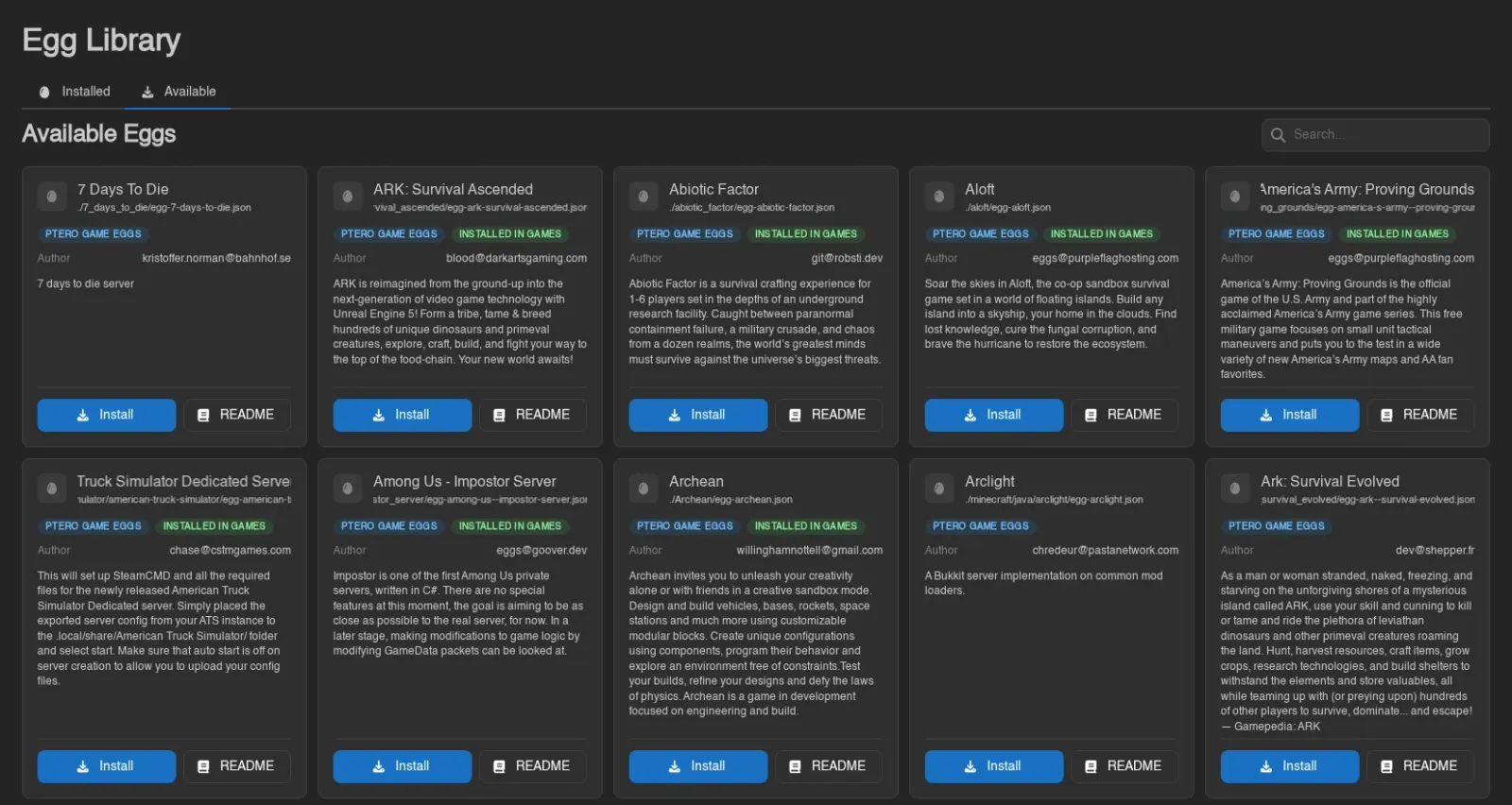
Each card shows the egg's banner if the repository has one for it, then its name, its path in the repository, the repository as a blue badge, the author, and the description. For each nest the egg is already installed in, an Installed in badge names the nest. It turns yellow when the panel knows the repository version is newer than that copy, and is green otherwise.
- Install (needs
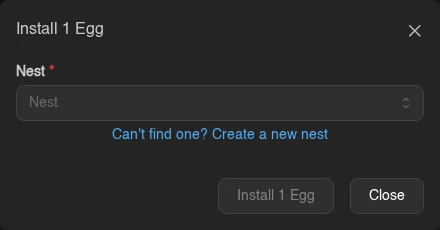
eggs.createandnests.read) opens the install dialog with the repository's Default Nest preselected. Pick another nest or create one with Can't find one? Create a new nest. If the nest already has an egg with that name, the install is skipped instead of creating a duplicate. There is no error for this; the toast just reads "0 Eggs installed." - README opens the egg's README drawer, with the banner on top and its own Install button. Eggs without a README show "This egg does not have a README."
With no repositories, or none synced yet, the tab shows "No eggs available" and a Go to Egg Repositories button. A newly created repository syncs on its own, so its eggs appear here shortly after you save it.
Other Places to Install From
The same repository search also appears in two other places:
- Import > from Repository on a nest's Eggs tab installs straight into that nest.
- Can't find it? Install one from a repository under the egg picker when creating a server installs an egg and selects it for the new server.
INFO
Actions here map to the eggs.*, nests.read, and egg-repositories.read admin permissions; see the Permissions Reference.