
Calagopus 1.2.0 released
6 September 2026
Calagopus Panel 1.2.0 is out. Most of this release is about networking: servers can now reach each other over an encrypted private network instead of the public internet, and every server gets its own firewall. There is also a Quick Actions palette, a second file editor built around a file tree, and two things people kept asking for on the DB Agent side: per-database access control and database backups.
The full changelog is on the Panel releases page and on GitHub.
Private Networking
Traditionally, servers on different nodes can only reach each other via the public internet, through published ports. With private networking, node-to-node traffic goes through an encrypted tunnel instead and never touches the public internet. Connected servers get a private hostname and address for each other inside their own container, and the traffic does not consume a public allocation on either side.
Each node pair is linked by a mutual-TLS QUIC tunnel. We wrote a small daemon for this, Tundra. Wings installs and updates it on its own on every node that joins the network, so there is nothing extra to set up by hand.
This is what a simple game network may look like:
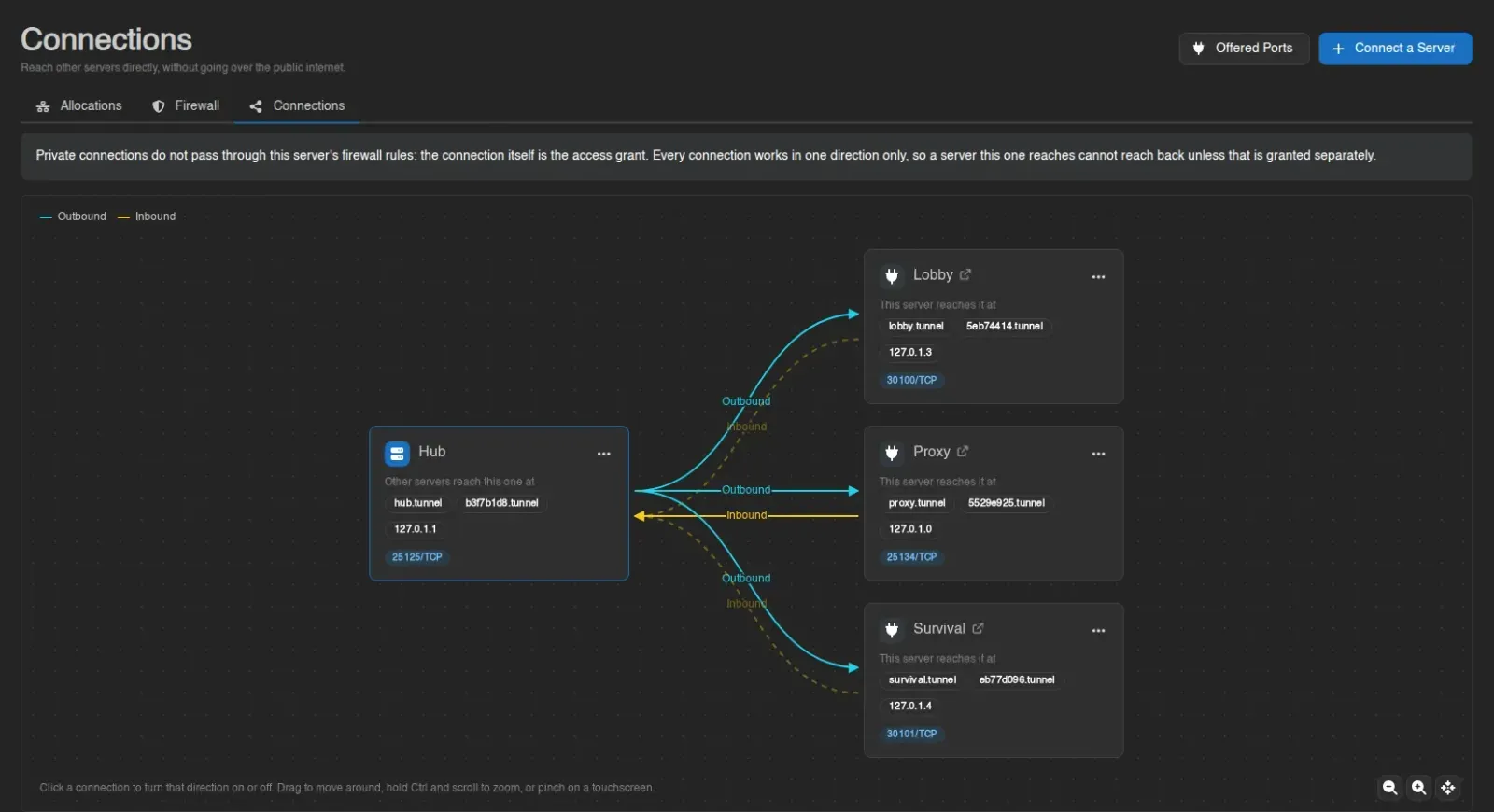
The Connections page documents the panel side of joining servers together. Setting up the network on your nodes is covered in the Wings guide to the private network.
Firewalls
To stay on the topic of networking: every server now has a firewall. Allow or deny traffic by protocol, by IP address, by whole subnets, or by an entire list of sources read from a file on the server. Rules are evaluated top to bottom, the first match decides, and changes apply the moment you save.
Server owners can use it to keep out bad actors and spammers, or to let only a specific group of people onto a server. A Deny Everything Else button turns a ruleset into a default-deny firewall in one click.
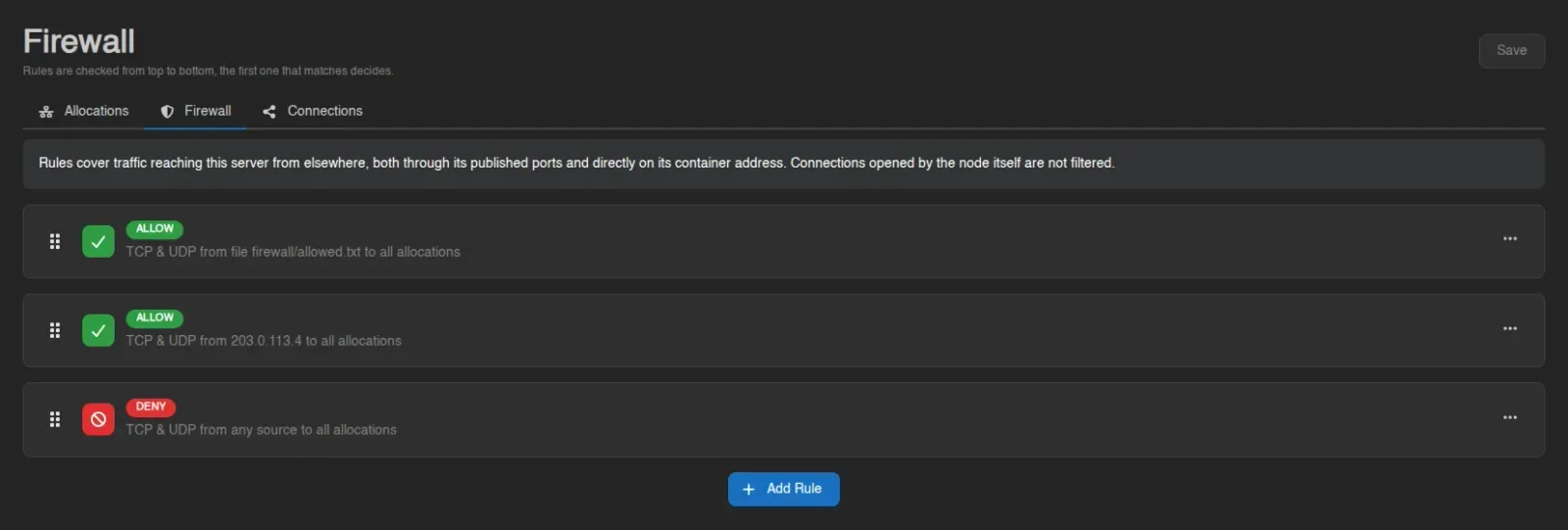
Read more on the Firewall page. Firewall rules are enforced by Wings, so keep your nodes up to date to use them.
Quick Actions
Also new in this release are Quick Actions. One keybind (Ctrl+Space by default) opens a palette you can drive the whole panel from: type the name of a server, page, action or user, hit Enter, and you are there. What it lists depends on where you are, so on a server page it also has that server's power actions and page-specific operations.
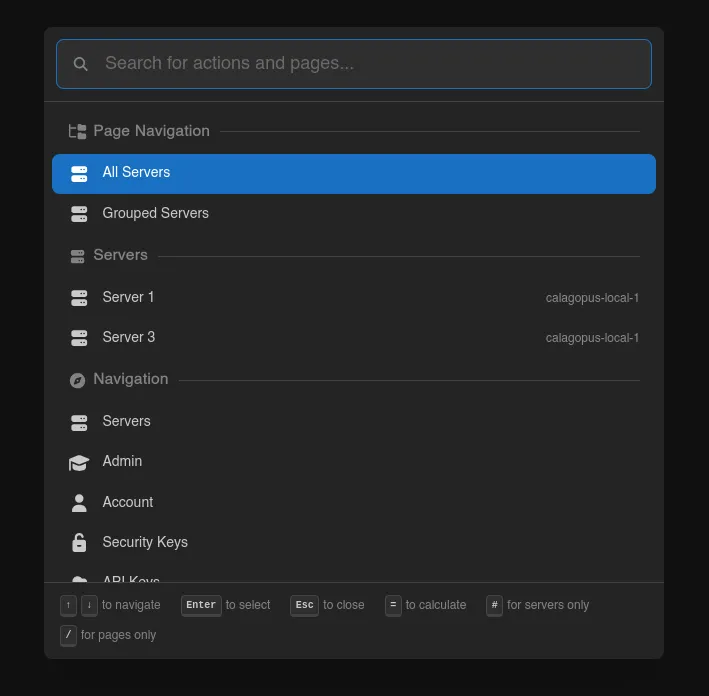
Prefixes filter the results by type:
| Prefix | Result |
|---|---|
= | Calculator; type an expression and get the answer inline |
# | Servers only |
/ | Pages only |
@ | Users only (in the admin area) |
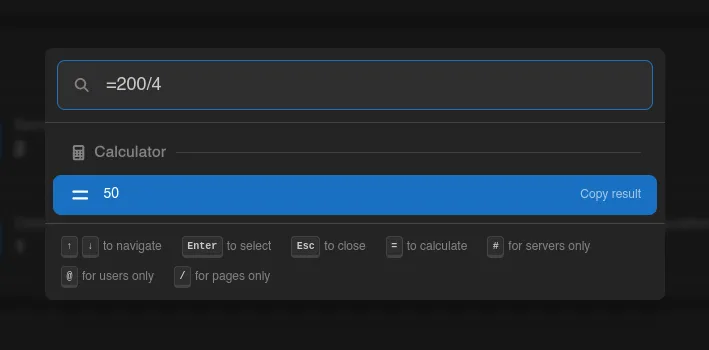
The best part? This can be extended. Read more about extending Quick Actions.
File Tree Editor
The file manager has gained a twin. The selector in the top right corner switches between the classic list view and the new tree editor.
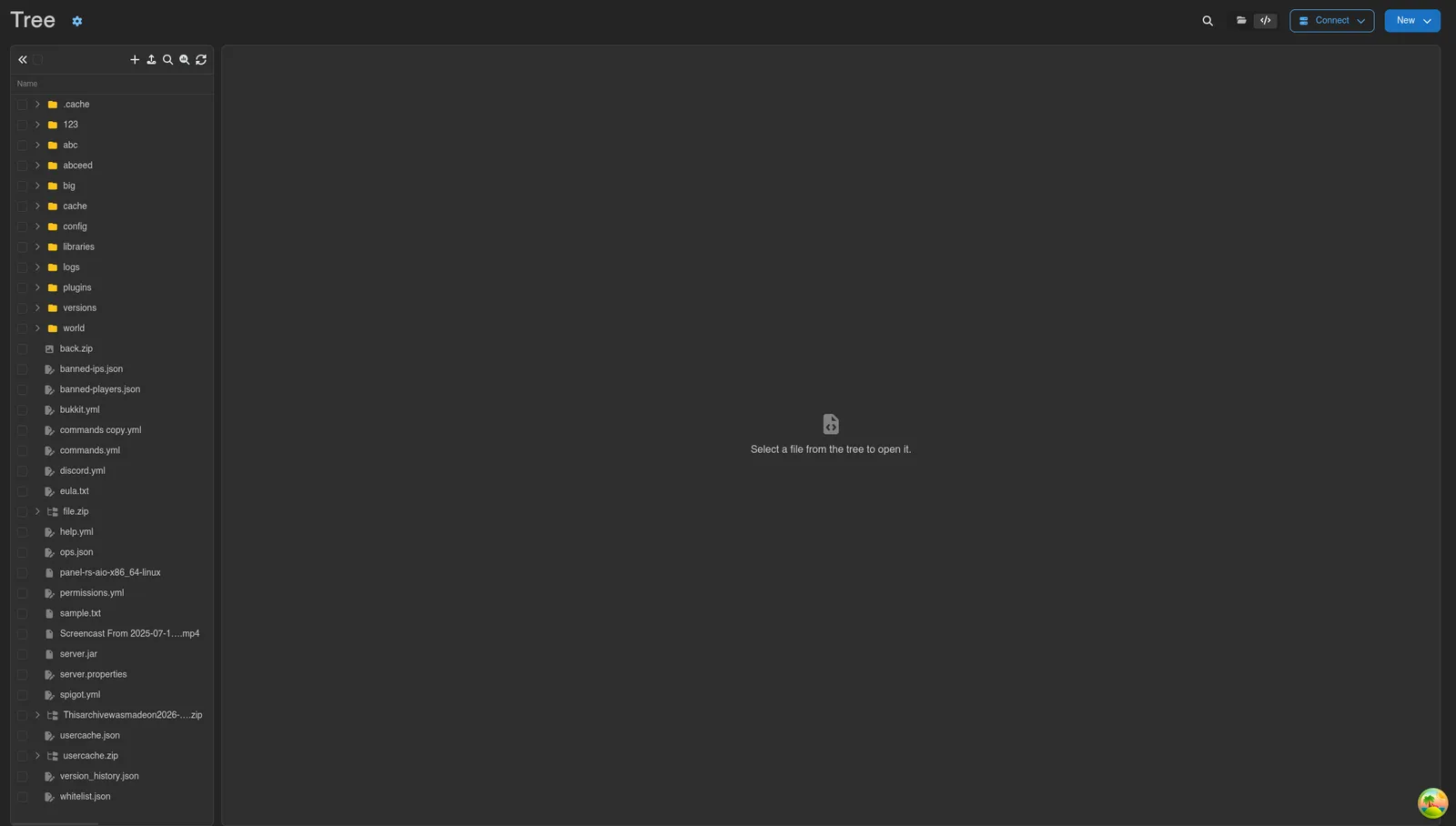
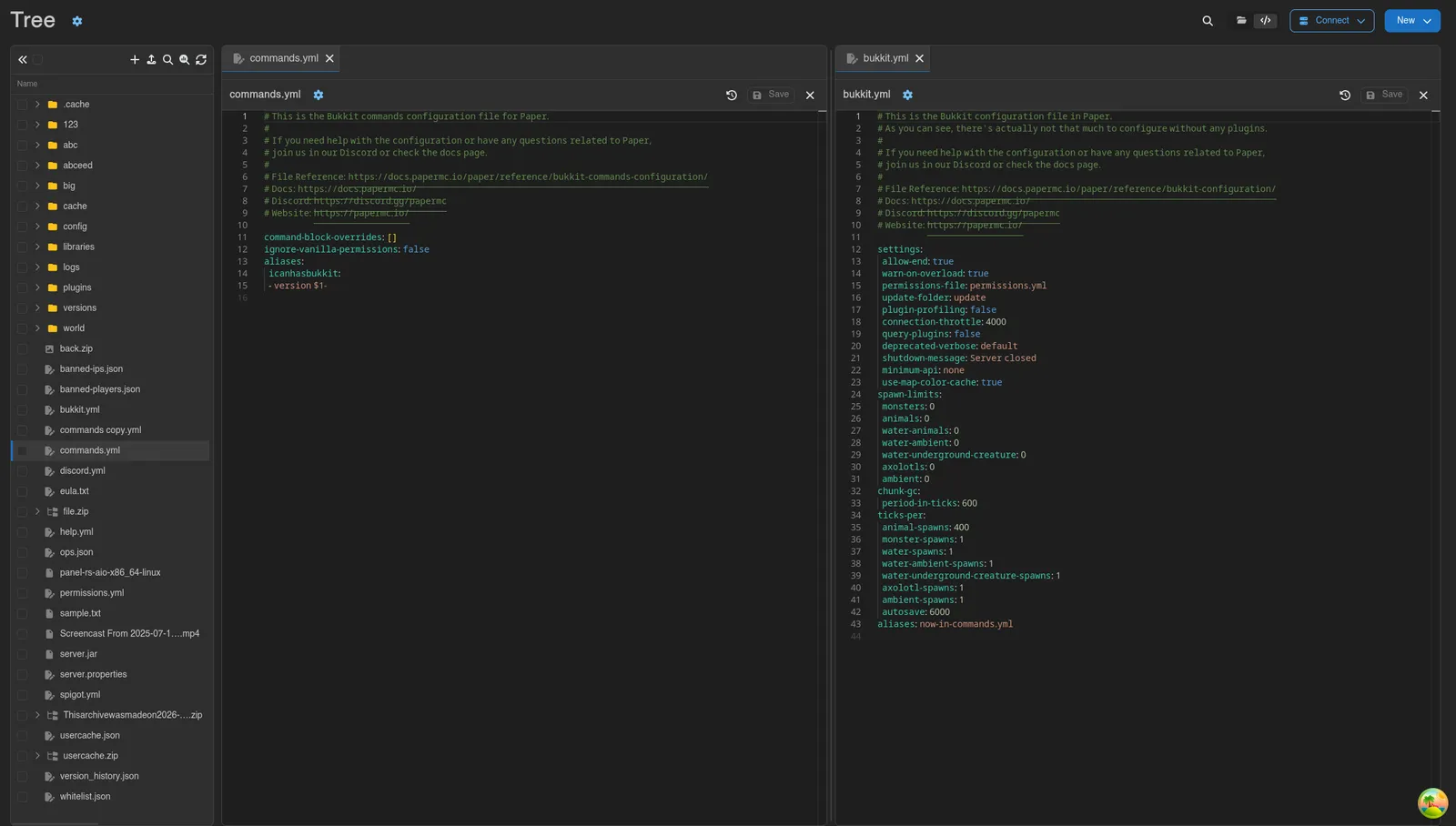
The tree editor looks and feels like a traditional code editor: the directory tree sits on the left, multiple files can stay open in tabs at once, and two files can be viewed side by side in split view.
The list view got some work too. Directories scroll instead of paginating, dragging files around is a lot faster, and touch devices now default to a lighter editor built for mobile.
DB Agent Access Control
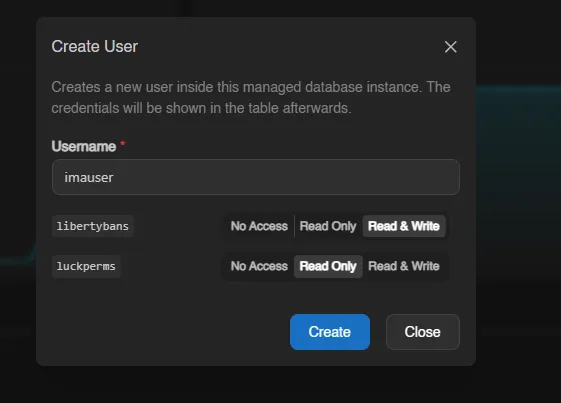
Databases provisioned through the DB Agent now support per-database access control. For every database user, pick which databases it may reach and at which level: no access, read only, or read and write. A single user can hold a different level on each database in the instance.
DB Agent Backups
More news for the DB Agent: provisioned databases can now be backed up too. Database backups use the server's backup configuration, count against the same backup limit, and can be downloaded or restored like any other backup.
Read more about Database Backups.
Also in This Release
Servers
- Schedules can pull a file from a URL as a step.
- Installation scripts can report progress, turning the installing banner into a progress bar.
- Servers can be dragged between groups on the dashboard, and backup groups can be reordered.
- Toasts can show progress for long-running operations.
Accounts and Security
- Email verification for new accounts, and more two-factor authentication options.
- User settings sync across devices, with the option to pin a setting to one device.
- API keys can be disabled and re-enabled without deleting them.
- Logging out asks for confirmation, and a password reset offers to revoke every other session.
- File downloads send headers that stop browsers from guessing the content type.
Administration
- Eggs can be mass-imported from URLs, up to 25 at a time.
- Extensions can be disabled and enabled without a rebuild, and extension management is now activity logged.
- Server creation looks up users by email and can create one on the spot. Creating a user with admin permissions now shows a warning.
Ctrl+Ssaves in most admin forms.- The SMTP HELO/EHLO domain can be overridden, for providers that reject the default.
- Backup policies got a slightly better cron editor.
Fixes
Sixteen fixes went in as well. Among them: the backend caching issues, the clustered Redis connection URL, the server websocket, keyboard shortcuts in Monaco, custom Docker images on server creation, and the charts (again). The rest is in the changelog.
Upgrading
Follow the updating guide. Private networking and firewalls are enforced by Wings, so update your nodes too, and read the private network guide before turning it on.