
Roles
Roles under Users & Access are named permission sets you assign to users, the way to give staff scoped access without handing out the full Admin flag. A role bundles two lists:
- Admin Permissions control which admin-area actions its holders can perform, like
servers.readornodes.create. - Server Permissions are the same keys subusers use, granted on every server the holder can open, on top of whatever they already have as owner or subuser. Combined with the
servers.readadmin permission, that effectively applies them panel-wide.
Every key is documented in the Permissions Reference. Root admins bypass roles entirely; a role only matters for accounts without the Admin toggle. Users get a role on their admin user page, or automatically through OAuth provider mappings.
The list shows each role's ID, Name, Server Permissions and Admin Permissions (as counts), and Created date. Create requires roles.create.

Creating and Editing a Role
The form is the same for creating and updating:
| Field | Notes |
|---|---|
| Name | Required. |
| Description | Optional. |
| Require Two Factor | "Require users with this role to use two factor authentication." Enforced hard: holders without 2FA are blocked from everything except setting up 2FA on their Account page and logging out. |
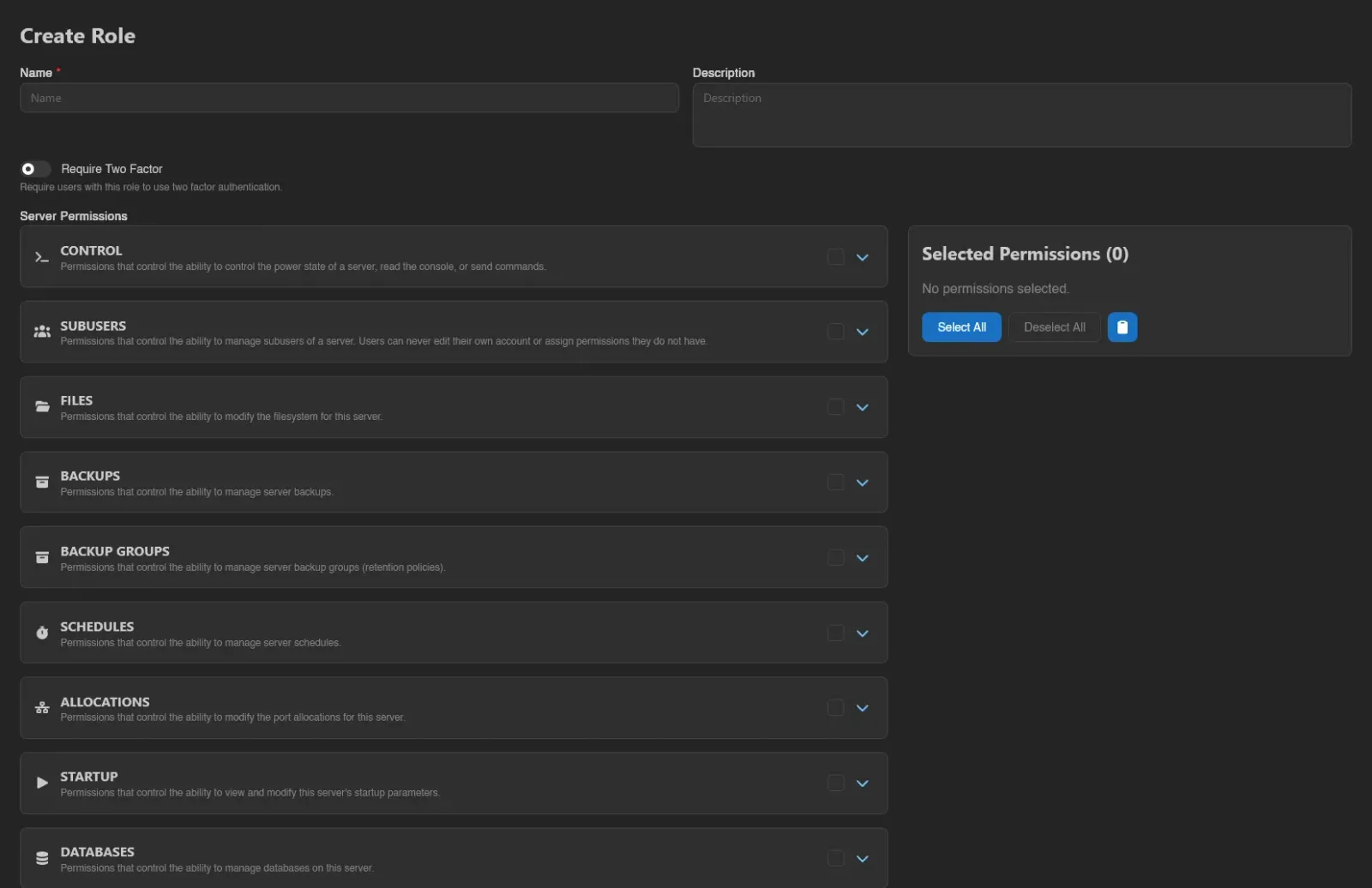
Below that sit the two permission pickers, Server Permissions and Admin Permissions: expandable categories where you tick individual permissions or toggle a whole category at once, with copy and paste for moving a selection between roles. It's the same picker used when scoping API keys.
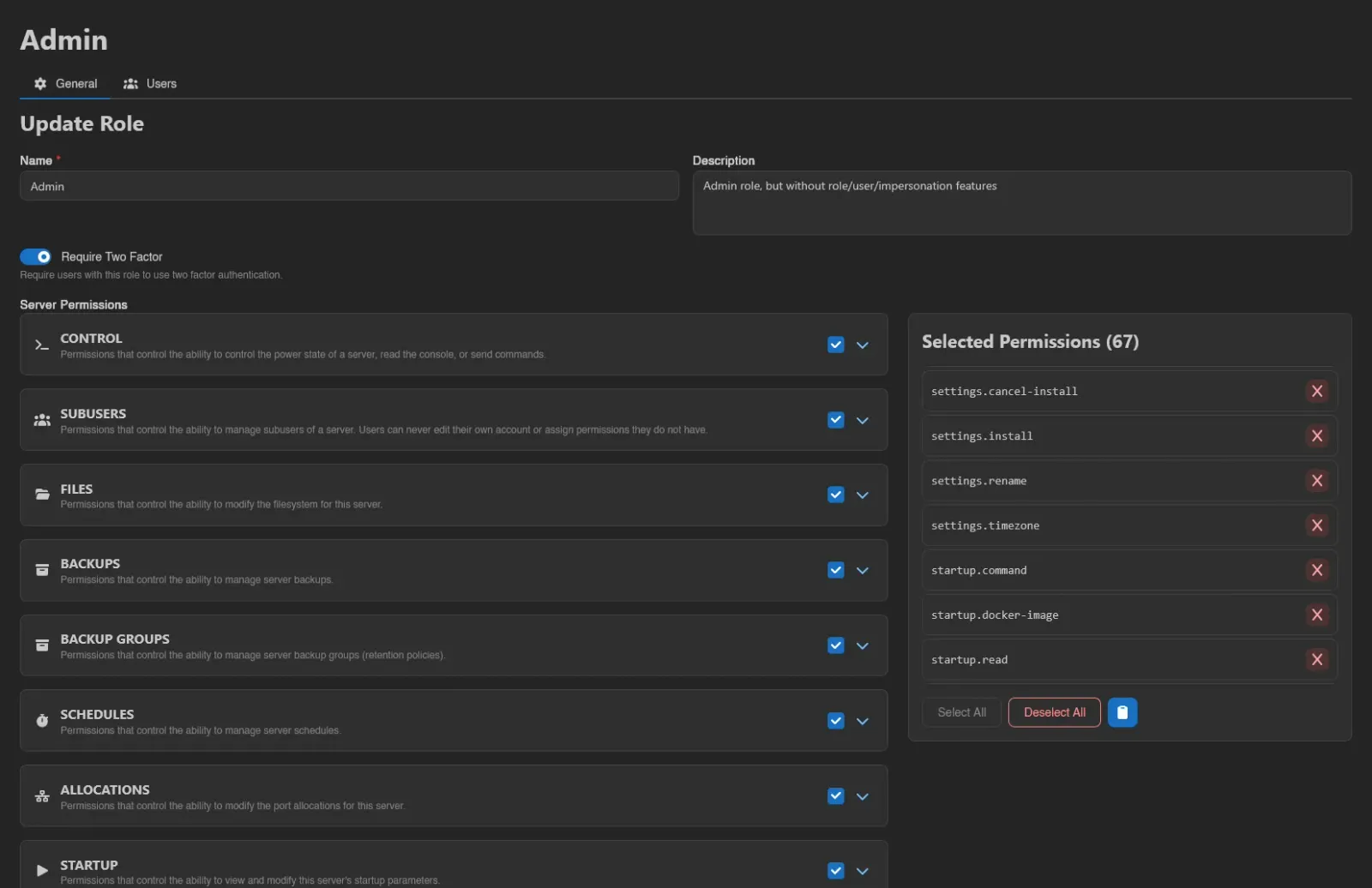
Finish with Save (or Save & Stay when creating). An existing role also offers Duplicate (requires roles.create; asks for a new name, prefilled with "(copy)") and Delete (requires roles.delete, with a confirmation).
WARNING
Selecting users.impersonate shows a warning for good reason: it lets holders of this role impersonate other users. Be cautious assigning it to roles with less trusted users, see Impersonation for the exact rules.

Users Tab
A role's view has a Users tab (requires users.read) listing every user currently holding the role, with the same columns as the Users list. Role-based admins get the same crown marker there as root admins.
