
Egg Repositories
Egg repositories are Git repositories that store collections of eggs - the configuration files that tell the panel how to install and run a specific game server type. Calagopus has a built-in egg repository system that lets you browse and import eggs directly from the admin UI, similar to what Blueprint's Eggify extension provided for Pterodactyl.
Calagopus has backwards compatibility for Pterodactyl eggs, so you can use the official Pterodactyl egg repositories as a starting point:
INFO
You can also add egg repositories directly from the OOBE when first setting up Calagopus - select the repositories you want and click Import.
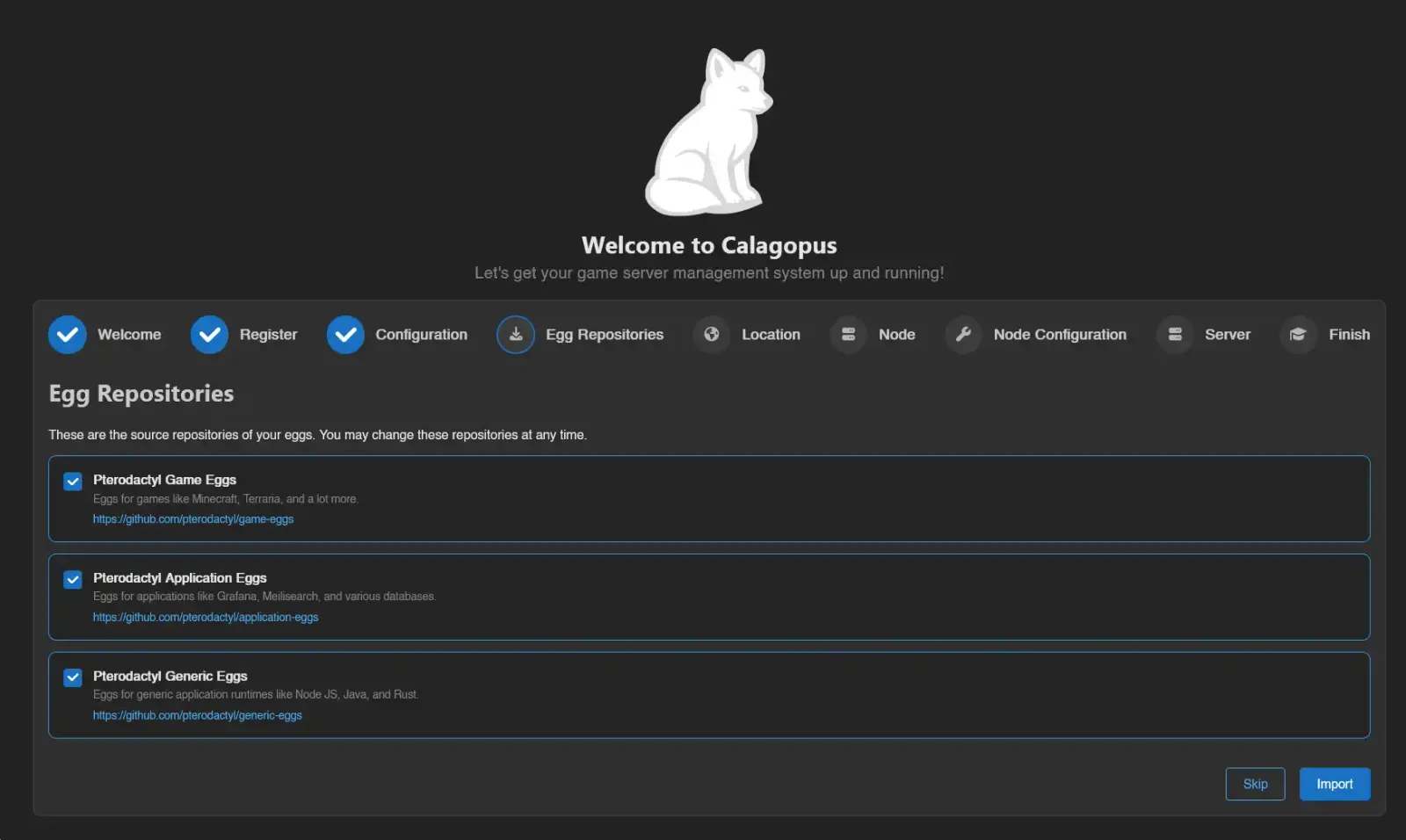
How Egg Repositories Work
An egg repository is a Git repository organized into directories, with each egg defined as a JSON file following the Pterodactyl/Calagopus egg format. Repositories commonly separate games, applications, and programming languages into separate repositories or subdirectories.
Adding a Repository
Head to Admin → Egg Repositories and click Create.
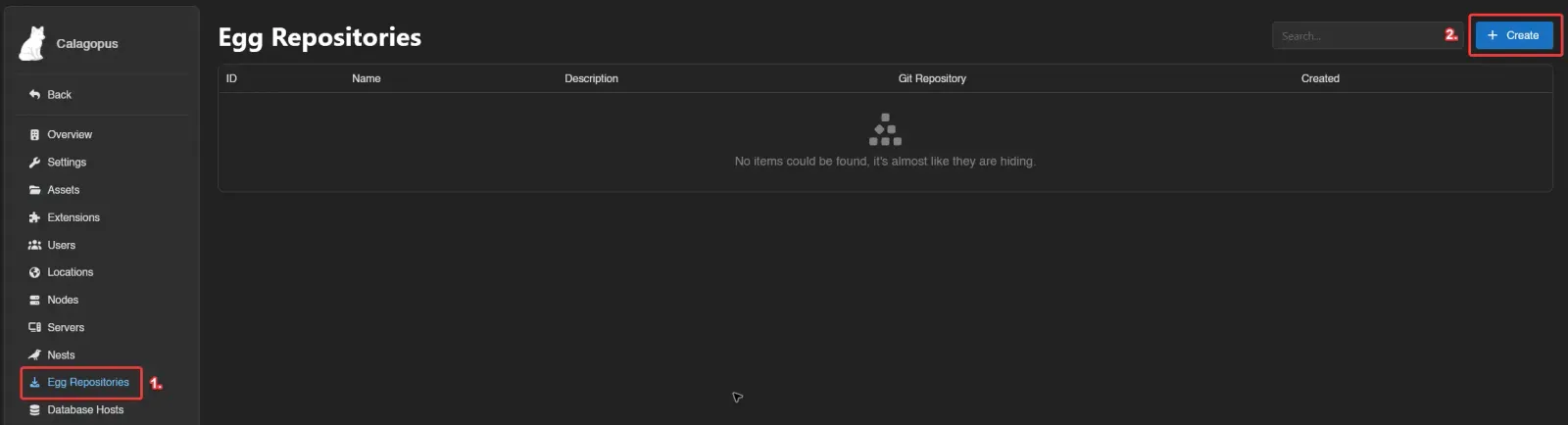
Fill in the fields:
- Name: A label to distinguish this repository from others.
- Git Repository: The full URL of the Git repository (e.g.
https://github.com/pterodactyl/game-eggs). - Description: Optional description.

Click Save, then click Sync to pull the egg list from the repository.
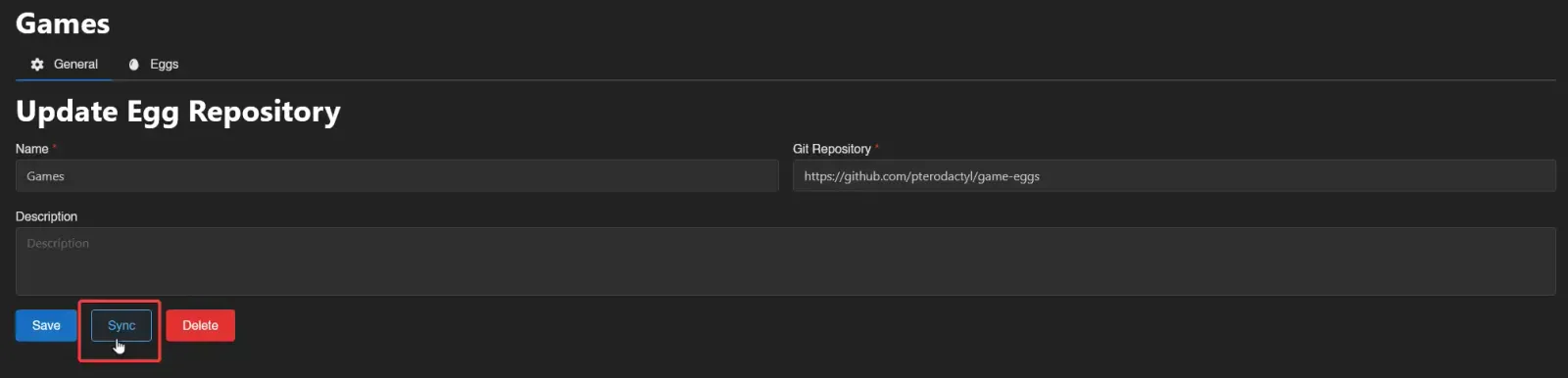
This doesn't install any eggs - it populates the Eggs tab with the full list from the repository so you can choose which ones to import.
Importing Eggs
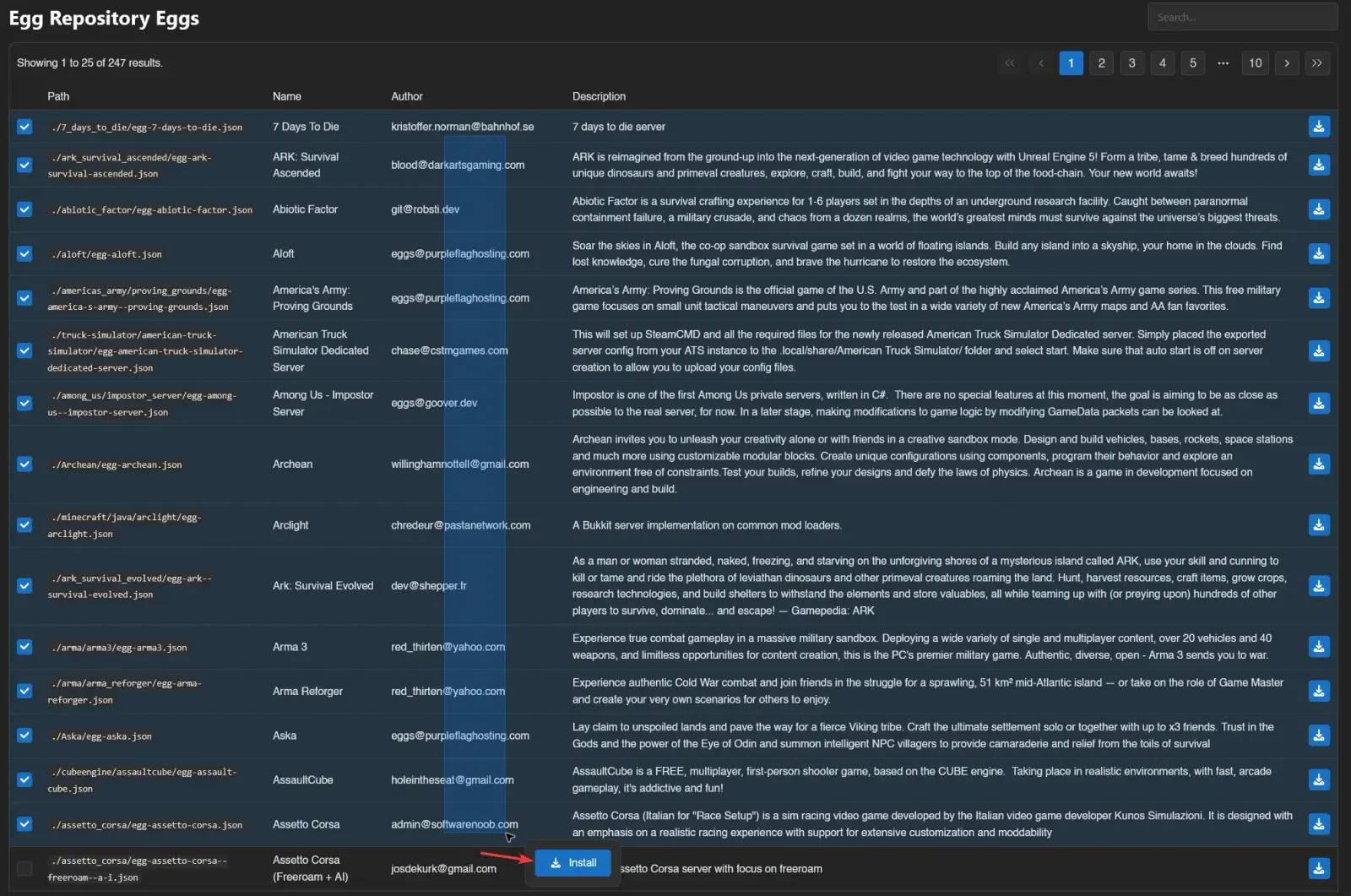
Head to the Eggs tab for the repository. You'll see a list of all available eggs.
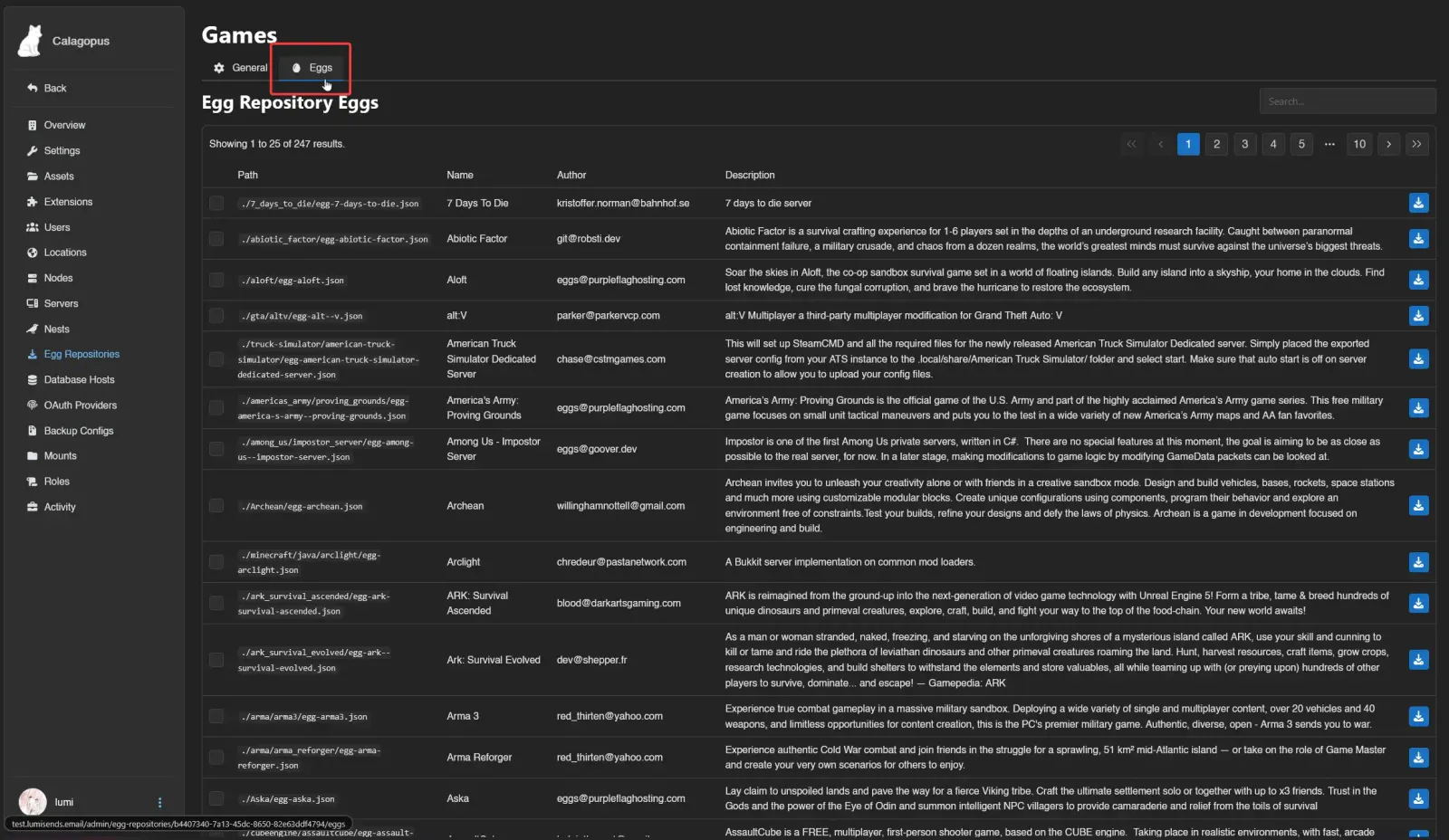
For documentation on what a specific egg does, check the same path in the source Git repository.
Select the eggs you want by dragging them into the selection area or searching by name, then click Install.
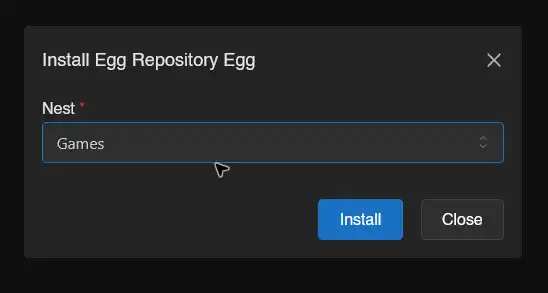
A popup will ask which nest to import into. A nest is a category for eggs, such as Minecraft. If you don't have one yet, create a nest under Admin → Nests, then return to the repository. Select the nest and click Install. This imports the template; it does not create or start a game server.
Updating Eggs
When an egg in the repository has been updated, re-sync the repository first, then update the egg in the panel.
Updating a Single Egg
Re-sync the repository:
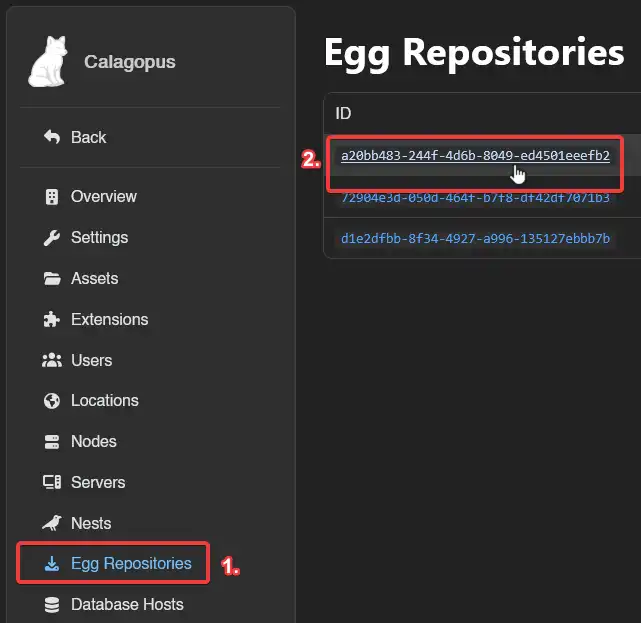
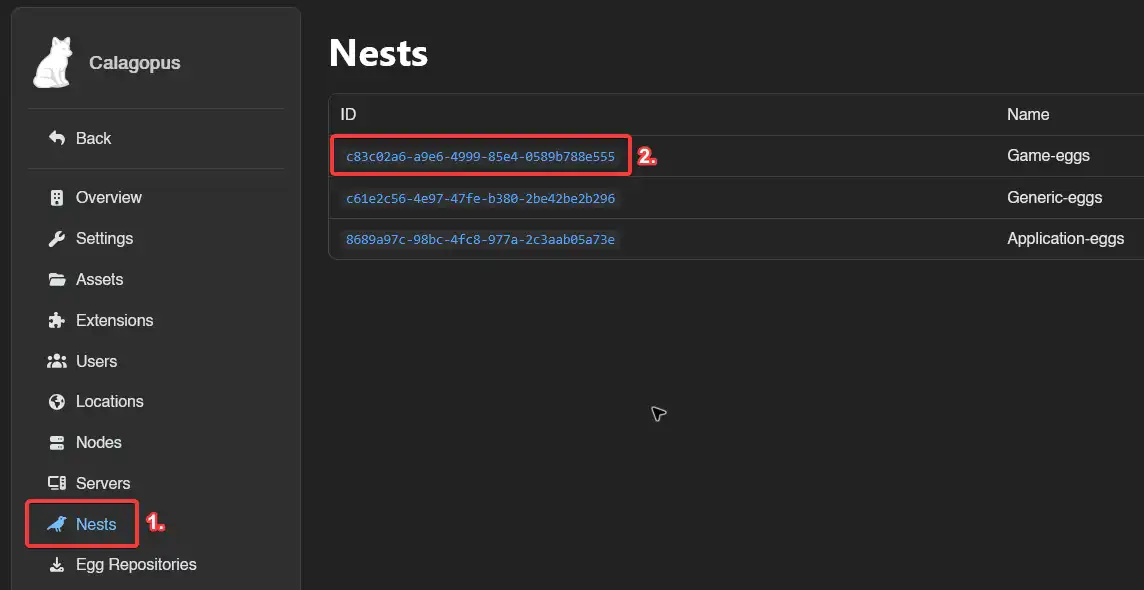
Then head to Admin → Nests, click the nest containing the egg, click the egg, scroll down to the Update section, and click Update from Repository.
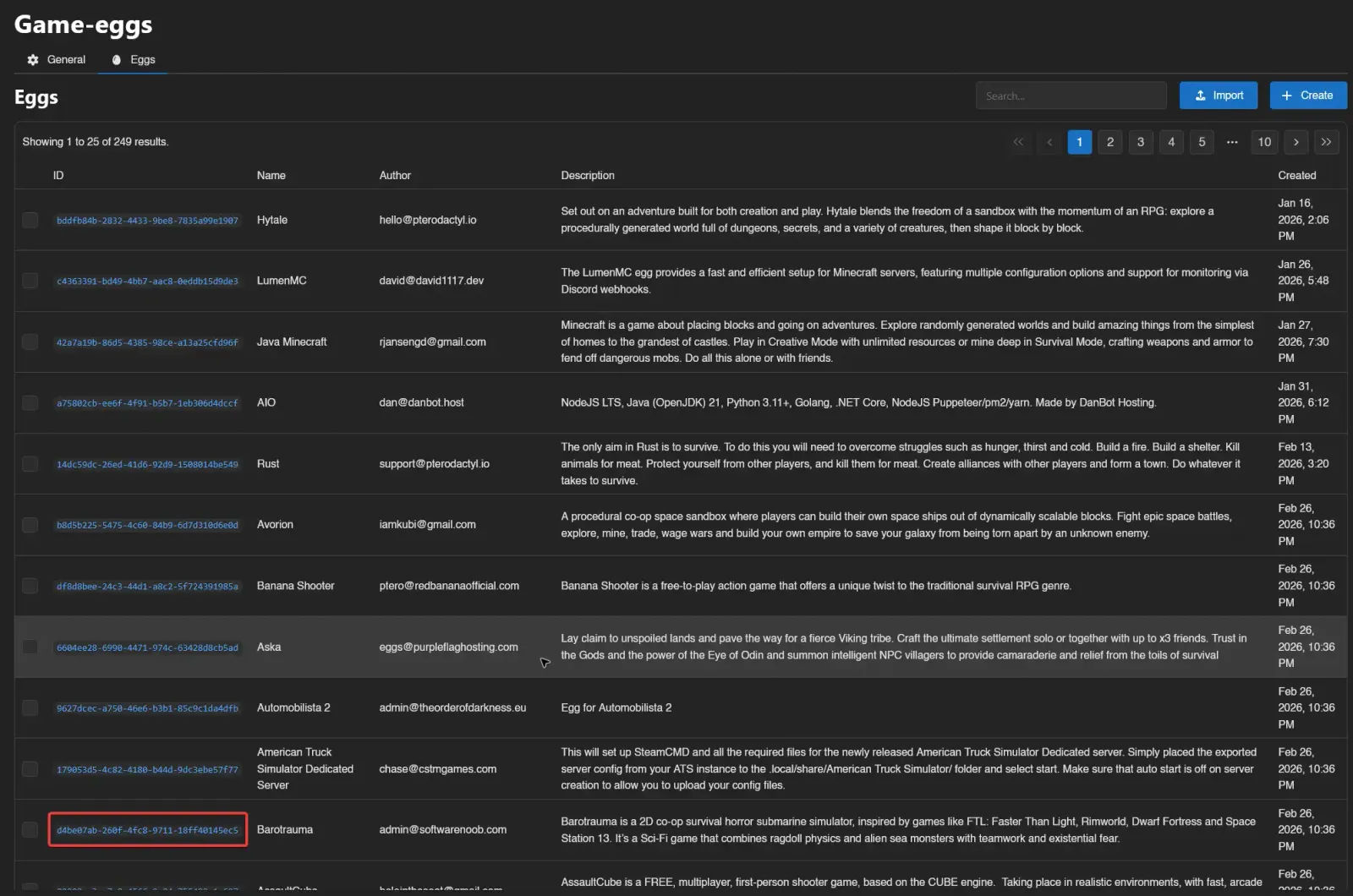
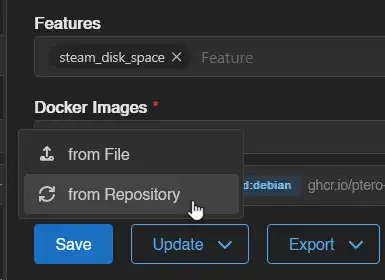
Updating Multiple Eggs at Once
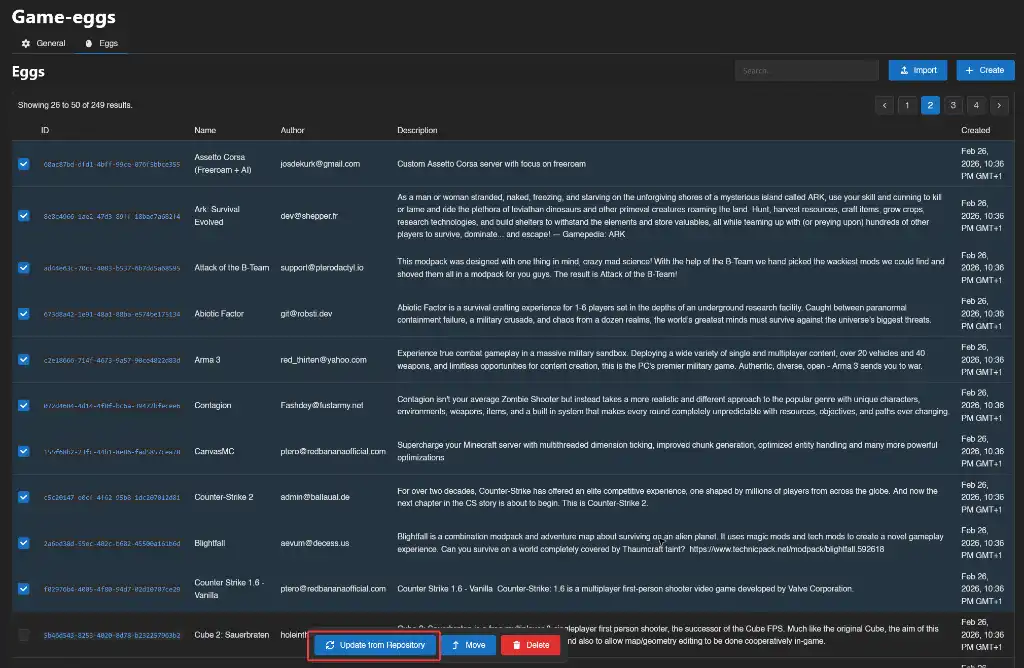
Re-sync the repository, then head to Admin → Nests and open the nest. Select the eggs you want to update and click Update from Repository in the action bar.
Updating an egg changes its template, not the game files already installed on your servers. Depending on what changed, you may need to update a server's settings, choose a different runtime image, or rerun its installer. Before reinstalling, back up the server and read the reinstall warning: the install script can modify or delete files even when you don't choose to wipe the server first.