
Command Snippets
Command snippets are shortcuts for commands you type often into a server console. The list is empty by default and shows each snippet's name (with the ! prefix you'll type), how many eggs it applies to, and when it was created.

Creating a Snippet
Click Create and give it a short name, since that name is what you'll actually type in the console. Optionally pick one or more eggs to restrict the snippet to servers using them; leave it empty to make the snippet available on every server.
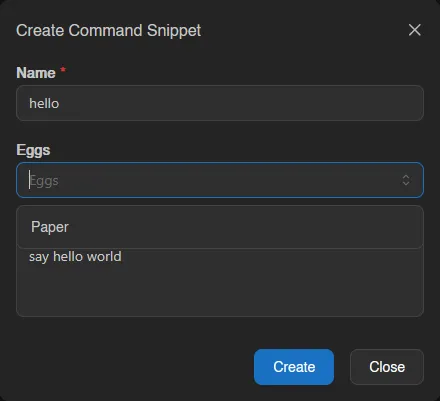
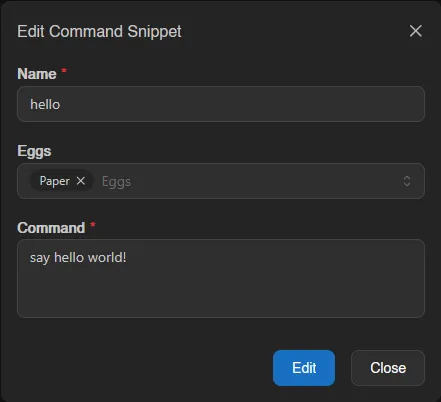
Then enter the command it should paste. For example, a snippet named hello with the command say hello world!:
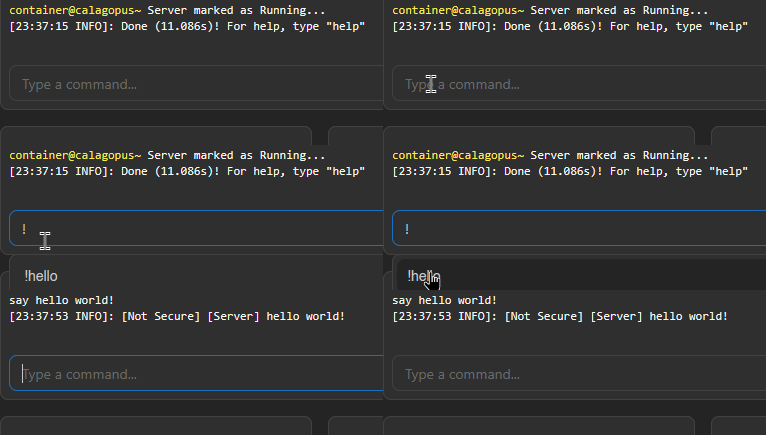
Typing !hello in the console and pressing enter pastes say hello world! in its place, so you don't have to type the full command every time. Typing just ! shows all your snippets as autocomplete suggestions; see Sending Commands.
Right-click an existing snippet (or open the menu at the end of its row) to edit, duplicate (the copy's name prefills as "<name> (copy)"), or delete it.
To delete several snippets at once, select them (checkboxes, drag, or Ctrl+A) and use Delete in the action bar, which asks for confirmation.

INFO
The maximum number of command snippets per account is set by the instance administrator under Settings > User.